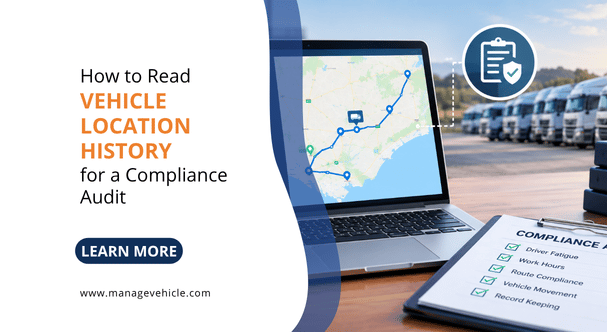
How to Read Vehicle Location History for a Compliance Audit

Vehicle location history is a timestamped GPS record of every trip, stop, and movement your fleet makes – and in a compliance audit, it is the single most revealing dataset an NHVR auditor will request. In a Chain of Responsibility investigation, this data is used to verify driver work and rest hours, confirm compliance with speed limits, cross-check work diary entries, and demonstrate that the operator had visibility into transport activities. Knowing how to read, interpret, and export this data before the auditor asks for it is the difference between a clean result and weeks of remediation.

GPS trip history is not just an operational tool. Under the HVNL, it is evidence. The NHVR’s auditors use it to verify whether your fatigue records match what actually happened on the road. We have sat through audits where the GPS data clearly showed a truck moving at 3 am while the work diary recorded the driver as resting. That single data point turned a routine compliance check into a full investigation. If your location history is stored, accessible, and you understand what it shows, you can catch those discrepancies before the regulator does.

What Vehicle Location History Actually Contains

A GPS tracking system records a data point at regular intervals, typically every 10 to 60 seconds depending on the system configuration and plan tier. Each data point captures a timestamp (date and time, usually in UTC or your configured timezone), GPS coordinates (latitude and longitude), vehicle speed at the point of recording, heading (direction of travel), ignition status (on or off), and an event type if applicable (trip start, trip end, harsh braking event, speed alert, geofence entry or exit).

Diagram showing six data fields in a GPS data point: timestamp, coordinates, speed, heading, ignition status, and event type

Over the course of a single day, a truck running a 10-hour shift with a 30-second ping rate generates roughly 1,200 data points. Over a week, that is 6,000 to 8,400 records per vehicle. Over the three-year retention period required under the HVNL for fatigue records, a 10-vehicle fleet accumulates millions of data points.

Most fleet tracking platforms aggregate this raw data into a readable format: trip summaries showing start time, end time, start location, end location, distance, maximum speed, and average speed. That is the view you see on the dashboard. But the raw underlying data is what an auditor or investigator may request, and knowing what sits beneath the summary is critical.

What NHVR Auditors Look for in Vehicle Location History During a Compliance Audit

The NHVR does not audit your GPS data in isolation. They cross-reference it against other records to test for consistency. The GPS location history is one layer in a multi-source evidence check.

How NHVR auditors cross-reference GPS location history against work diary entries to find fatigue discrepancies

Fatigue compliance verification. The auditor compares your driver’s work diary entries (Written Work Diary or NHVR-approved Electronic Work Diary) against the GPS record for the same vehicle on the same dates. If the work diary shows the driver recorded a 7-hour continuous rest period from 10 pm to 5 am, the GPS data should show the vehicle stationary with ignition off for that entire period. If the GPS shows the vehicle moved 85 kilometres between 1 am and 2:30 am during that supposed rest, you have a fatigue breach and a falsified work diary entry. Both are serious.

The HVNL requires operators to retain fatigue records for three years – a requirement that continues under the 2026 amendments (commenced 1 August 2026). That means your GPS location history for the same period must also be accessible and exportable, because it is the verification layer. A platform that purges trip data after 90 days or 12 months leaves you unable to respond to a fatigue audit that requests records from 18 months ago.

Speed compliance. Auditors and investigators review GPS speed data to identify patterns of speeding, not just individual events. A single speeding event on its own may be a momentary lapse. Fifty speeding events by the same driver over three months show a systemic failure to manage driver behaviour. If the operator’s system recorded those events and nobody acted on them, the auditor will conclude the operator knew or ought to have known about the behaviour and failed to take reasonable steps. That is the CoR due diligence test – the legal standard under the HVNL for whether a party in the chain took all reasonable steps to prevent the breach.

Route and location verification for scheduling. In a CoR investigation triggered by a fatigue incident, the NHVR may examine whether the scheduling was realistic. If GPS data shows a truck regularly arriving at a delivery point at 2am after a 14-hour driving day, and the schedule required arrival by midnight, the auditor has evidence that the scheduling created pressure to drive beyond safe hours. That liability falls on the scheduler and the operator, not just the driver.

Geofence and site attendance records. For operators in construction, mining, or waste management, GPS geofence data shows when vehicles entered and exited specific sites. This is relevant to mass management (proving the vehicle attended a weighbridge), fatigue management (confirming rest was taken at an approved location), and general CoR evidence (demonstrating the operator knew what the vehicle was doing and where).

How to Read a GPS Trip Report

Most fleet management platforms display trip history as a list of trips with summary data. Here is how to read each element and what matters for audit purposes.

Trip start and end times. These are the timestamps when the ignition turned on and off. Compare these directly against the work diary entries. The trip start time should fall within the “work” period recorded in the diary. A trip starting before the driver’s recorded work start time is a red flag.

Trip duration vs driving time. Some systems distinguish between “trip duration” (ignition on to ignition off) and “driving time” (time the vehicle was actually moving). The difference is idle time. A trip that lasted 3 hours but only had 1.5 hours of driving time means the vehicle was stationary with the ignition running for 1.5 hours. This matters for fatigue. Under the HVNL, time spent in the driver’s seat with the engine running counts as work, not rest, even if the vehicle is stationary. A driver idling in a loading bay for 90 minutes is working, not resting.

We see this misunderstanding constantly. Drivers assume that because they stopped moving, the clock stopped. It did not. The HVNL defines work to include “any time spent driving a fatigue-regulated heavy vehicle” and any other work for the driver’s employer. Idle time with ignition on does not satisfy rest requirements.

Maximum speed and speed events. The trip summary usually shows the highest speed recorded during the trip. If the max speed exceeds the posted limit on any segment of the route, that is a speeding event. More sophisticated systems log every instance where speed exceeded a configurable threshold, tagged with timestamp, location, speed, and the applicable speed limit. For audit purposes, look at speed events in the context of the route. A max speed of 105 km/h on a highway trip is different from 105 km/h passing through a town with a 60 km/h posted limit.

Stop locations and durations. Every stop (ignition off) is logged with location and duration. Cross-reference stop locations against approved rest areas. Under Standard Hours, a driver must take a continuous rest break of at least 7 hours in every 24 hours, and at least 24 continuous hours of stationary rest in every 7 days. The GPS data should show stops at locations where meaningful rest is possible, not 7-minute stops at fuel stations recorded as “rest.”

Breadcrumb trail and route replay. Most platforms offer a map replay that shows the vehicle’s path during a trip, plotted on a map with timestamps. This is the most intuitive way to review a trip for compliance purposes. You can visually verify the route taken, identify detours, spot extended stops, and see where speed events occurred in geographic context. An auditor will often request a screenshot or export of this route replay for specific dates.

How to Export Location History for an NHVR Audit

When the NHVR issues an audit notice, the request will specify the date range, the vehicles, and the records required. For GPS location data, you need to be able to export trip summaries with start/end times, locations, distances, and max speeds for the requested date range, raw GPS data points (if requested) in CSV or similar format, speed event logs with timestamps and locations, geofence entry/exit records, and idle time and stop reports.

The export must be timestamped and attributable to a specific vehicle. An export that shows trips but cannot identify which vehicle made them is useless for audit purposes.

Check your platform’s data retention settings before you need them. If your system is configured to retain 12 months of detailed trip data but the HVNL requires three-year retention for fatigue records, you have a gap. Adjust retention settings now. Do not wait until the audit notice arrives to discover your data from 18 months ago has been purged.

We typically recommend operators run a test export quarterly. Pick a random date from six months ago, export the trip data for two vehicles, and verify it is complete and readable. If the export fails, throws errors, or is missing data, fix the problem while it is a configuration issue rather than an audit finding.

Matching GPS Data to Work Diary Entries

This is the practical skill that separates operators who pass audits from operators who do not. The process is straightforward but requires discipline.

Pull the driver’s work diary records (WWD or EWD) for the audit date range. For each day, note the recorded work start time, rest periods, and work end time.

Pull the GPS trip report for the same vehicle and date range. Match trip start times against recorded work start times. Match stop durations and locations against recorded rest periods. Check for any vehicle movement during recorded rest periods.

Flag any discrepancy. The most common ones we see are trips starting 15 to 30 minutes before the recorded work start (the driver started driving but forgot to start their diary entry), short rest periods recorded in the diary that do not appear as stops in the GPS data (the driver recorded a break they did not take), and vehicle movement during overnight rest periods (suggesting the driver, or another person, moved the vehicle).

Each discrepancy needs a documented explanation. If the vehicle moved during a recorded rest period because a yard worker moved it for loading, that is a legitimate explanation, but only if it is documented. If there is no explanation, the auditor will treat it as a potential fatigue breach.

EWD systems that integrate with GPS telematics perform this cross-referencing automatically. The EWD records the driver’s work and rest entries while the GPS independently records vehicle movement. When the two data streams conflict, the system flags it in real time, giving the operator a chance to investigate and correct the record before it becomes an audit finding.

Common Mistakes Operators Make with Vehicle Location History

GPS data retention timeline showing 90-day and 12-month platform defaults versus the HVNL three-year requirement

Not checking data retention settings. The default retention on many tracking platforms is 90 days or 12 months for detailed trip data. The HVNL requires operators to retain fatigue records for three years. If your GPS data is the verification layer for those fatigue records, it needs to be available for the same period. Check your settings. Upgrade your storage plan if necessary. The cost of extended data retention is a fraction of the cost of being unable to produce records during an audit.

Treating location history as a back-office report nobody reads. GPS data sitting on a dashboard that nobody opens is not evidence of operator oversight. It is evidence that the data existed and the operator ignored it. Under the HVNL’s PSOE audit framework, the auditor tests whether your systems are not just Present (they exist), Suitable (they are fit for purpose), and Operating (they are switched on and generating data), but also Effective – meaning they actually produce safety outcomes, meaning they actually produce safety outcomes. A location history report that is generated but never reviewed, never used to verify fatigue records, and never cross-referenced against work diary entries fails the Effective test.

Relying on GPS data as a substitute for an NHVR-approved EWD. GPS trip data shows where the vehicle was and when it moved. It does not satisfy the HVNL’s work diary obligations. A driver must maintain a Written Work Diary or use an NHVR-approved Electronic Work Diary to record work and rest hours. GPS data alone, even with ignition-on/off timestamps, is not an approved method of recording fatigue compliance. It is a supporting verification layer, not a replacement. Only systems listed on the NHVR’s approved EWD register can legally replace a Written Work Diary.

Using location data from a different timezone without converting. GPS systems record timestamps in UTC by default. If your platform displays times in local timezone, confirm the timezone setting is correct for your operating region. An operator running across NSW and Queensland (which does not observe daylight saving) may have trips that appear to start an hour earlier or later than they actually did if the timezone configuration is wrong. That kind of discrepancy looks like a fatigue breach on paper even when it is a software setting issue.

Not exporting and testing before an audit arrives. The first time you try to export 18 months of trip data should not be the day after you receive an audit notice. Run a test export quarterly. Verify the data is complete, correctly timestamped, and attributable to specific vehicles. Fix configuration problems proactively.

A Practical Pre-Audit Location History Checklist

Run through this checklist before publishing an audit response or on a quarterly self-review basis.

Nine-item pre-audit checklist for vehicle location history compliance including retention, timezone, export, and cross-referencing checks

Confirm data retention is set to at least three years for all vehicles. Verify timezone settings match your operating jurisdiction. Export trip data for a sample week from 12+ months ago and confirm it is complete. Cross-reference two days of GPS trip data against the corresponding work diary entries for the same vehicle and confirm they match. Check that stop locations during recorded rest periods are plausible rest locations, not active worksites. Verify speed event logs are being captured and stored, not just displayed in real time. Confirm geofence entry/exit records are available for relevant sites (weighbridges, depots, client sites). Ensure every trip record is attributable to a specific vehicle by registration or fleet number. Test the export format: can the auditor open and read the file without needing your platform login? CSV or PDF exports that include vehicle ID, trip timestamps, locations, speeds, and stop durations are the minimum.

Frequently Asked Questions (FAQs)

What is vehicle location history in fleet management?

Vehicle location history is a timestamped GPS record of every trip, stop, and movement made by a tracked vehicle. Each data point includes a timestamp, GPS coordinates, speed, heading, and ignition status. Fleet management platforms aggregate this raw data into trip summaries showing start/end times, distances, routes, speeds, and stops.

Does the NHVR use GPS data in compliance audits?

Yes. NHVR auditors cross-reference GPS location history against work diary entries, maintenance records, and scheduling data to verify fatigue compliance, speed adherence, and CoR due diligence. GPS data that contradicts work diary entries, for example, showing vehicle movement during a recorded rest period, can trigger a full investigation.

How long must I keep GPS trip data for HVNL compliance?

The HVNL requires operators to retain fatigue records for three years. Because GPS location data serves as the verification layer for those records, it should be retained for the same period. Many tracking platforms default to 90 days or 12 months of detailed data. Check your retention settings and upgrade if necessary.

Can GPS tracking data replace an Electronic Work Diary?

No. GPS trip data shows vehicle location and movement. It does not satisfy the HVNL’s requirement for drivers to record work and rest hours in a Written Work Diary or NHVR-approved EWD. GPS data is a supporting verification layer. Only systems listed on the NHVR’s approved EWD register can legally replace a paper work diary.

What happens if GPS data and work diary entries do not match?

A discrepancy between GPS data and work diary entries must be investigated and documented. Vehicle movement during a recorded rest period may have a legitimate explanation (yard movement by another person), but that explanation must be on record. Unexplained discrepancies can be treated as potential fatigue breaches and falsified work diary entries, both of which are serious offences under the HVNL.

What format should GPS data be exported in for an audit?

CSV or PDF exports that include vehicle ID, trip start and end timestamps, GPS coordinates, distance, maximum and average speed, stop locations and durations, and any flagged events (speeding, geofence breaches). The export must be readable without requiring the auditor to log into your platform. Test the export format before you need it.

Does idle time count as rest under the HVNL?

No. Under the HVNL’s broad definition of work, time spent in the driver’s seat with the engine running is classified as work even if the vehicle is not moving. A driver waiting in a loading bay or queuing at a site with the ignition on is accumulating work time, not rest time. GPS trip reports distinguish between driving time and idle time, and auditors review both when assessing fatigue compliance.

What Is an In-Vehicle Monitoring System (IVMS)?

An In-Vehicle Monitoring System (IVMS) is a hardware and software platform installed in a vehicle to track its location, speed, and driver behaviour in real time. IVMS goes beyond basic GPS tracking by monitoring harsh braking, acceleration, cornering, seatbelt use, idling, geofence violations, and safety events. In Australia, IVMS is mandatory for site access on virtually every tier-one mining and energy operation. For heavy vehicle operators on public roads, IVMS data provides the auditable evidence that the HVNL’s Chain of Responsibility (CoR) provisions and the 2026 Safety Management System (SMS) requirements increasingly demand.

The simplest way to understand what IVMS does: GPS tracking tells you where a vehicle is. IVMS tells you where it is, how it got there, who was driving, and whether they did it safely.

That distinction matters. A basic GPS tracker drops a pin on a map. An IVMS platform records that the driver exceeded the site speed limit by 12 km/h in Zone C at 2:47 pm, braked harshly three times on the haul road, and triggered a geofence alert when the vehicle entered a blast exclusion area. That data sits in a timestamped log that can be produced for an auditor, a WHS investigator, or a court.

For operators running fleets across transport, construction, mining, or waste management, the practical question is not whether IVMS exists. It is whether your current tracking setup captures enough data to satisfy the compliance frameworks that now govern how Australian fleets operate.

How an In-Vehicle Monitoring System (IVMS) Works

An IVMS installation has two components: hardware in the vehicle and a software platform that receives, processes, and displays the data.

How an in-vehicle monitoring system works - data flow from in-vehicle unit to fleet dashboard

Hardware. The in-vehicle unit (IVU) is a ruggedised device wired into the vehicle’s electrical system. It contains a GPS receiver for positioning, an accelerometer for detecting harsh driving events, a cellular modem for transmitting data, and inputs for connecting additional sensors. Depending on the configuration, those additional sensors can include seatbelt switches, door sensors, engine diagnostics via the ECM (Engine Control Module) or OBD port, temperature probes, on-board mass sensors, and connections to driver identification systems such as iButton or NFC fobs.

When the ignition is on, the IVU records position, speed, heading, and sensor data at defined intervals. The Safer Together IVMS Specification used across Australia’s coal seam gas industry requires data storage at minimum every 200 seconds or at every vehicle event, whichever is shorter. Tier-one mining operators typically require second-by-second or near-real-time data transmission.

In areas without cellular coverage (common across the Pilbara, Goldfields, remote NT, and inland Queensland), the IVU stores data locally and syncs when connectivity returns. For operations that need continuous real-time visibility in remote areas, an Iridium satellite modem can be connected to the IVU so data transmits regardless of mobile coverage.

Software. The fleet management platform receives the data stream and presents it as live maps, trip replays, driver scorecards, exception reports, geofence alerts, and compliance dashboards. This is where IVMS becomes operationally useful. Raw GPS coordinates are meaningless. A dashboard that highlights the drivers with the most speed events this week, the vehicles with overdue pre-start inspections, and the route that consistently generates harsh braking alerts is where safety decisions happen.

IVMS vs GPS Tracking: What Is the Difference?

This question comes up constantly, and the honest answer is that the line is blurry. “GPS tracking” and “IVMS” and “telematics” are often used interchangeably, especially in the mining and resources sector where “IVMS” is the default term. In practice, industry practitioners across mining, oil, and gas treat IVMS as essentially interchangeable with telematics – the term is simply the default label for vehicle monitoring in the resources sector.

In-vehicle monitoring system IVMS vs GPS tracking comparison showing what each system captures

The functional differences matter more than the labels.

A standalone GPS tracker provides real-time vehicle location, trip history, basic speed data, and geofencing with entry and exit alerts. It answers the “where” question. It is enough for operators whose primary need is vehicle visibility and route management.

An IVMS platform provides everything GPS tracking does, plus driver behaviour monitoring (harsh braking, acceleration, cornering, speeding by zone), seatbelt compliance monitoring, driver identification, geofence-specific speed rules (different speed limits for different zones on the same site), event-based alerts with in-cab warnings, integration with fatigue and distraction monitoring systems (DFMS/DFDM), and configurable exception reporting that generates the compliance evidence auditors and investigators require.

The National Road Safety Partnership Program (NRSPP) published a discussion paper on IVMS that identifies the critical implementation factor: what you do with the data determines whether you meet your safety objectives. Collecting driver behaviour data and never reviewing it is worse than not collecting it at all, because you have created a record showing you were aware of the risk and took no action.

Insider note: We see this exact mistake in transport fleets, not just mining. An operator installs telematics to get the “we have a system” box ticked, runs it for 18 months, and never sets up a single alert rule or generates a driver behaviour report. Then a speed-related incident occurs on a public road. During the CoR investigation, the NHVR asks for the telematics data. The data shows 340 unactioned speed events across the fleet over the previous six months. That data just became prosecution evidence, not a compliance asset. Install the system, configure the alerts, and act on the exceptions. That is what IVMS is for.

Where IVMS Is Mandatory in Australia

There is no single national law that requires IVMS in every Australian vehicle. The obligation comes from three different sources, and which one applies depends on where and how the vehicle is used.

Mining and energy sites. IVMS is a near-universal access requirement at tier-one mining operations. BHP, Rio Tinto, Fortescue (FMG), Glencore, Santos, and BMA each publish vehicle specification documents that mandate IVMS with GPS tracking and driver behaviour logging for all contractor and company vehicles entering their sites. In 2025, BMA tightened requirements further, mandating that all light vehicles be fitted with IVMS, a handbrake alarm, and a VHF radio programmed to site specifications before entry.

The Safer Together industry body, whose members include Santos, QGC, Arrow Energy, and Origin Energy, has published a Common IVMS Specification that standardises IVMS settings across the Australian energy production industry. It covers speed management, seatbelt monitoring, fatigue management, harsh driving events, and reporting formats. Before this specification existed, contractors working for multiple operators in the same week faced different IVMS rules at every gate. The specification was developed specifically to fix that problem.

If your vehicle does not have a commissioned and approved IVMS unit when it arrives at the gate, it does not enter the site. The enforcement mechanism is that simple.

Heavy vehicle operators under the HVNL. The HVNL does not mandate IVMS by name. What it does mandate, since 1 August 2026, is a documented Safety Management System that demonstrably manages speed, fatigue, mass, maintenance, and CoR risks, assessed against the PSOE standard (Present, Suitable, Operating, Effective). The NHVR’s own regulatory advice confirms that compliance with the HVNL Primary Duty requires doing what is “reasonably practicable” to ensure safety. For a fleet running 20 or more heavy vehicles, an auditor assessing whether your speed management system is “Operating” and “Effective” will expect to see data. IVMS produces that data.

The 2026 Master Code of Practice, released by the NHVR in January 2026, identifies over 500 recommended controls across 45 transport activities. While the Master Code is not legally mandatory, courts may use it as a benchmark for what constitutes reasonably practicable steps. Multiple controls in the Master Code reference real-time vehicle monitoring, speed management systems, and driver behaviour data, which is IVMS by function if not by name.

Corporate CoR penalties for the most serious breaches now reach $4,230,550 (as of 1 August 2026, post-CPI indexation). The due diligence duty under the HVNL applies personally to executive officers. An executive who cannot demonstrate their organisation took active steps to manage speed and fatigue risks faces personal fines up to $436,850 and up to five years’ imprisonment for a Category 1 breach, independently of the company penalty.

Workplace Health and Safety legislation. Under every state and territory WHS Act, a Person Conducting a Business or Undertaking (PCBU) has a primary duty of care to ensure, so far as reasonably practicable, that the health and safety of workers is not put at risk. For any business that operates vehicles as part of its work, managing foreseeable driving risks is part of that duty. The NHVR’s regulatory advice on WHS and CoR confirms that both duties must be complied with, and both emphasise proactive risk prevention. IVMS provides the documented evidence trail that your driving risk controls are in place and operating.

What Data Does an IVMS Capture?

The specific data points depend on your hardware configuration and the compliance standard you need to meet. A typical IVMS installation for an Australian transport or mining fleet captures the following:

IVMS data points captured including vehicle data driver behaviour and safety compliance

Vehicle data: Real-time GPS position, speed, heading, trip start and end times, odometer or hour meter readings, ignition status, idle time and duration, engine diagnostics (fault codes, fuel consumption, coolant temperature via ECM/OBD), and geofence entry and exit events with timestamps.

Driver behaviour data: Speeding events (above posted limit, above site-specific zone limit, or above a defined threshold), harsh braking events (measured by G-force from the accelerometer), harsh acceleration events, harsh cornering events, seatbelt status (buckled or unbuckled while vehicle is in motion), and unauthorised vehicle use (ignition on outside of defined operating hours or without a valid driver ID).

Safety and compliance data: Duress/panic button activations, geofence violations (vehicle enters a restricted zone, blast area, or exclusion area), driver identification records (which driver was operating which vehicle at what time), fatigue and distraction alerts (if integrated with a DFMS/DFDM camera system), and journey management plan compliance (vehicle deviated from approved route or failed to reach a checkpoint within the expected time).

Insider note: The data point that catches operators off guard most often is idle time. IVMS records every minute the engine runs without movement. When we onboard a fleet of 15 to 30 vehicles, the idle time report almost always reveals 20 to 40 minutes of unnecessary idling per vehicle per day. At current diesel prices, that adds up to thousands of dollars per year in wasted fuel across even a modest fleet. It is also a compliance issue: excessive idling in a loading area or depot can indicate scheduling pressure, which is a CoR red flag for fatigue and speed management.

IVMS for Heavy Vehicle CoR Compliance

The strongest compliance case for IVMS in Australian transport fleets is its role in meeting Chain of Responsibility obligations. CoR does not just apply to the driver. It extends to every party in the supply chain that exercises control or influence over how a heavy vehicle is used on a road: the operator, the scheduler, the consignor, the consignee, and the loader.

chain of Responsibility penalty scale 2026 showing corporate and individual maximums by category

The HVNL’s primary duty requires each CoR party to ensure, so far as is reasonably practicable, that their conduct does not directly or indirectly cause or encourage a driver to contravene the law. “Reasonably practicable” is assessed against what the party knew, or should have known, and what was available to them.

IVMS directly supports three of the five CoR risk areas.

Speed management. IVMS records every speed event, timestamped and location-tagged. If a scheduler sets a delivery window that requires exceeding the speed limit, the IVMS data will show either that the driver exceeded the limit (evidence of the breach) or that deliveries consistently arrived late because the schedule was unrealistic (evidence the scheduler should review their planning). Either way, the data forces accountability.

Fatigue management. IVMS tracks driving hours, rest breaks, and vehicle movement patterns. When integrated with an Electronic Work Diary (EWD) or a DFMS camera system, it creates a complete picture of when a driver was working, how long they had been driving, and whether fatigue indicators were detected. The expanded “unfit to drive” duty under the amended HVNL, which since 1 August 2026 covers fatigue, illness, medication, and mental health for all heavy vehicles over 4.5 tonnes GVM (previously fatigue-only and only for vehicles over 12 tonnes), makes this data even more operationally relevant. The penalty for a single unfit-to-drive offence is $26,610.

Vehicle maintenance. IVMS platforms that pull engine diagnostics via ECM or OBD can flag fault codes, overheating, and abnormal operating conditions in real time. Linking that data to your maintenance scheduling system means defects are captured before a vehicle goes out with a known issue. Under CoR, an operator who dispatches a vehicle with a recorded unresolved fault is directly exposed.

Insider note: The CoR angle most operators miss is the scheduling evidence. We have worked with fleets where the IVMS trip data showed that drivers were consistently departing the depot 30 to 45 minutes late due to loading delays, then driving above the speed limit to make the delivery window. The speed events were a symptom. The root cause was a scheduling and loading problem that created pressure on the driver. IVMS data identified the pattern. Without it, the operator would have kept addressing individual speed events and never fixed the structural issue.

IVMS and the 2026 PSOE Audit Standard

Since 1 August 2026, operators with Heavy Vehicle Accreditation (HVA) are audited against the PSOE standard: Present, Suitable, Operating, Effective.

PSOE audit framework showing how IVMS maps to Present Suitable Operating Effective levels

IVMS maps directly to each level.

Present: The IVMS hardware is installed and the software platform is configured. Policies reference the system and define how data is used. This is the easiest level to satisfy and the one most operators clear without trouble.

Suitable: The IVMS configuration matches the operation’s risk profile. A long-haul B-double fleet needs different alert thresholds, geofence structures, and reporting dashboards than a metropolitan rigid fleet running 50 km urban routes. A one-size-fits-all setup with factory-default settings will not clear “Suitable” for a fleet with specific fatigue, speed, or mass management risks.

Operating: This is where most systems fail. “Operating” means the IVMS data is being used in daily operations. Drivers are receiving in-cab alerts. Managers are reviewing exception reports. Speed events generate follow-up actions that are recorded. The system is not installed and ignored. Auditors look for evidence of active use: alert acknowledgement records, corrective action logs, driver coaching sessions triggered by IVMS data, and management review minutes that reference fleet performance trends from the platform.

Effective: The IVMS is producing measurable safety outcomes. Incident and near-miss rates are trending down. Speed event frequency is declining. Corrective actions are being closed out and verified. Management reviews show that decisions are being made based on IVMS data and those decisions are producing results. This is the level that separates compliance from genuine safety management.

A paper-based speed management policy with no data behind it clears “Present” at best. IVMS data that is collected but never reviewed clears “Present” and “Suitable” but fails “Operating.” A fully integrated IVMS platform with active alerts, documented follow-up actions, and quarterly management reviews of fleet safety trends is the system that clears all four levels.

How to Choose an IVMS for Your Fleet

The choice depends on where your vehicles operate, which compliance standards you need to meet, and how many vehicles you are running.

Cellular vs satellite connectivity. If your fleet operates exclusively in metropolitan and regional areas with reliable mobile coverage, cellular-only hardware is sufficient and cheaper. If any of your vehicles operate in remote areas, on mine sites outside mobile coverage, or across inland routes where dead zones are common, you need hardware with local data storage that syncs on reconnection, and ideally an Iridium satellite option for continuous real-time visibility.

Site-specific compliance. If your vehicles access mining or energy sites, confirm which IVMS specifications your clients require. BHP, Rio Tinto, FMG, Santos, and Safer Together members each have distinct requirements for data format, reporting cadence, speed zone configurations, and approved hardware vendors. Some sites have preferred supplier lists. Installing a system that does not output data in the format the site operator expects means you will need to reconfigure or replace it before you get through the gate.

Integration with existing fleet systems. An IVMS that operates as a standalone platform creates a data silo. The real value comes when IVMS data connects to your maintenance scheduling, driver documentation, fatigue management, and compliance reporting. Speed events should trigger a workflow. Fault codes should generate a maintenance task. Fatigue alerts should feed into your SMS documentation. If your IVMS platform cannot integrate with your broader fleet management system, you are building the disconnected compliance environment that the 2026 PSOE standard was designed to eliminate.

Fleet size matters. For a five-truck operation, a basic GPS tracking setup with speed alerts and trip history may be sufficient for the first 12 months. For 15 or more vehicles, the volume of data and the compliance obligations make a full IVMS platform with automated reporting and exception management the practical minimum. The cost of a typical IVMS installation ranges from $20 to $50 per vehicle per month for the software platform, plus $200 to $500 for the hardware unit per vehicle depending on the feature set. That cost is offset quickly against fuel savings from idle time reduction, insurance reductions from documented safety controls, and the avoidance of a single CoR penalty that starts at $705,820 for a Category 3 corporate breach (as of August 2026).

How Manage Vehicle’s IVMS and Telematics Platform Works

Manage Vehicle’s GPS tracking and telematics solution provides the core IVMS functionality that Australian transport, construction, and mining operators need: real-time vehicle positioning, driver behaviour monitoring, speed zone management, harsh event detection, geofencing, and configurable alerts.

The platform connects IVMS data directly to compliance management, so speed events feed into your CoR evidence trail. Maintenance alerts from engine diagnostics link to your vehicle servicing schedule. Fatigue data from smart dashcams with AI-powered driver monitoring integrates with work diary records. The result is one connected system that produces the PSOE audit evidence across all five SMS components, not separate platforms that an auditor has to reconcile.

For operators in construction and mining, the platform supports offline data storage with automatic sync for vehicles operating outside cellular coverage, site-configurable pre-start inspections, and the compliance reporting structure that mine site operators and WHS inspectors expect.

Frequently Asked Questions (FAQs)

Is IVMS mandatory in Australia?

There is no single national law requiring IVMS in every vehicle. IVMS is mandatory for site access at virtually all tier-one mining and energy operations in Australia, including BHP, Rio Tinto, Fortescue, Glencore, Santos, and Safer Together member companies. For heavy vehicle operators under the HVNL, IVMS is not explicitly mandated, but the data it produces is increasingly necessary to demonstrate compliance with CoR obligations and the 2026 SMS and PSOE audit requirements.

What is the difference between IVMS and GPS tracking?

GPS tracking monitors vehicle location, speed, and trip history. IVMS includes GPS tracking but adds driver behaviour monitoring (harsh braking, acceleration, cornering, speeding by zone), seatbelt compliance, driver identification, geofence-specific speed rules, event-based alerts, and integration with fatigue monitoring systems. In the mining and resources sector, “IVMS” is the standard term for what the broader fleet industry calls “telematics.”

What does IVMS stand for?

IVMS stands for In-Vehicle Monitoring System. Related acronyms used in the Australian mining sector include IVFMS (In-Vehicle Fatigue Management System), DFMS (Driver Fatigue Monitoring System), and DFDM (Driver Fatigue and Distraction Monitoring), which refer to AI-powered camera systems that detect fatigue and distraction events and are often deployed alongside or integrated with IVMS.

How much does IVMS cost per vehicle?

Typical costs for an Australian IVMS installation range from $200 to $500 per vehicle for the hardware unit (one-time), plus $20 to $50 per vehicle per month for the software platform and data connectivity. Costs vary depending on the feature set, satellite connectivity requirements, and whether fatigue camera integration is included. These figures should be weighed against the cost of a single CoR penalty (Category 3 corporate breach: $705,820 maximum, as of August 2026) and the fuel savings from reduced idle time.

Does IVMS work in remote areas without mobile coverage?

It depends on the hardware. IVMS units with local data storage will record and store data when out of cellular range, then sync automatically when coverage returns. For continuous real-time visibility in remote areas, an Iridium satellite modem can be added to the IVU. This is common in Pilbara mining operations, Goldfields sites, and remote NT and SA locations where cellular dead zones are the norm.

Can IVMS help with Chain of Responsibility compliance?

Yes. IVMS directly supports three of the five CoR risk areas: speed management (timestamped speed event records), fatigue management (driving hours, rest patterns, and integration with EWDs and fatigue camera systems), and vehicle maintenance (real-time engine diagnostics and fault code alerts). Under the HVNL, CoR parties must demonstrate they took “reasonably practicable” steps to ensure safety. IVMS data is the most practical form of that evidence.

What IVMS specifications do Australian mining companies require?

Each mining company publishes its own IVMS requirements. Common frameworks include the Safer Together Common IVMS Specification (used by Santos, QGC, Arrow Energy, Origin Energy), BHP’s vehicle safety standard, Rio Tinto’s contractor vehicle requirements, and Fortescue’s project-specific standards. Requirements typically cover GPS tracking interval, speed zone configuration, harsh event thresholds, seatbelt monitoring, data format, reporting cadence, and approved hardware. Always check the current revision of your client’s specification before mobilising a vehicle.

Beyond Tracking: 3 Advanced Features of Manage Vehicle You Might Be Missing

If you’re a truck driver or transport operator, you already know that vehicle tracking is like having a co-pilot that never sleeps.

It’s the backbone of modern fleet management, helping logistics businesses save time, cut costs, and keep everyone safe on the road. But what if I told you that your tracking system could do so much more?

While basic GPS tracking is great for knowing where your rig is, today’s advanced systems like Manage Vehicle offer features that go far beyond location updates.

These tools aren’t just about monitoring, they’re about empowering you to drive smarter, stay compliant, and protect your livelihood.

Let’s dive into three advanced features you might be missing out on, and why they’re game-changers for your daily operations.

1. Real Time Alerts to Keep Your Drivers Safe

Imagine having a guardian angel that whispers in your ear when risks pop up. That’s what real-time alerts feel like!

Manage Vehicle’s system monitors your vehicle’s movements and instantly notifies you of potential hazards, like excessive speeding, harsh braking, or idling.

These alerts aren’t just nagging reminders, they’re proactive tools to prevent accidents and reduce wear-and-tear on your rig.

Vehicle Tracking for Driver Safety
Manage Vehicle provides you with fleet technology trend reports with real-time alerts to protect your fleet from any danger.

For example, if a driver exceeds the speed limit, the system triggers an alert via text or email, allowing you to address the issue before it becomes a problem. This is not building the culture of safety by evading fines only.

Organizations like the National Heavy Vehicle Regulator (NHVR) emphasize the importance of real-time monitoring to reduce incidents on Aussie roads.

With features like geofencing and after-hours activity alerts, you can also prevent unauthorized vehicle use and theft, giving you peace of mind whether you’re on the road or off the clock.

2. HD Video Footage for Evidence

Wish you had someone to side with when it comes to a he-said, she-said fight? HD dash cameras with GPS positioning are can solve your time and energy.

Manage Vehicle integrates AI-powered cameras that record crystal-clear footage of the road and cabin, complete with timestamps and location data. This isn’t just for catching bad drivers, it’s your best defense against fraudulent claims and insurance disputes.

HD Video Footage for Evidence
Manage Vehicle shares solid evidences in HD video footage in case of any mishappenings on the road.

To explain, when an accident takes place, the system records the video and notifies immediately. This evidence will help in claiming the insurance and save your reputation.

Plus, with features like driver behavior tracking, you can review footage to coach your team on safer driving habits. As highlighted by Aussie road safety advocates, video telematics is a proven way to reduce accidents and promote accountability.

3. Seamless Integration with Compliance Tools

Let’s face it: compliance paperwork is a headache. But what if your tracking system could handle it for you?

Manage Vehicle seamlessly integrates with compliance tools like electronic logging devices (ELDs) and mass management systems, automating record-keeping and reducing manual errors. This means fewer hours spent on paperwork and more time on the road.

Vehicle Tracking for Seamless Integration
Manage Vehicle gives you seamless integration with compliance tools so that your transport or logistic business can run smoothly.

The system tracks critical data like driver hours, vehicle maintenance schedules, and axle weights, ensuring you meet NHVR standards effortlessly.

For example, it alerts you when registration is due or when a driver is nearing their shift limit, helping you avoid fines and stay within legal limits.

As one transport company named A2Z WORX noted, “Manage Vehicle has made a huge difference for us. The real-time tracking and driver safety features are spot on. We’ve had fewer incidents, and everything runs more smoothly. The support team is always there when we need them.”

Why Choose Manage Vehicle as Your Road Partner?

Running a fleet is not simply about moving between point A and point B, it is about running it safely, efficiently and compliantly. Manage Vehicle isn’t just another tracking system; it’s a partner that grows with your business. Here’s why it stands out:

  • Comprehensive Safety Tools: From real-time alerts to HD video, it prioritizes your safety on the road.
  • Regulatory Compliance: It simplifies compliance with NHVR and other regulatory bodies, so you’re always audit-ready.
  • User-Friendly Design: Designed for drivers, by drivers, the system is intuitive and easy to use, even for tech newcomers.

As endorsed by transport operators across Australia, Manage Vehicle helps you “boost safety through real-time alerts and optimize performance with data-driven insights”.

Whether you’re a solo owner-operator or part of a large fleet, this system adapts to your needs without locking you into long-term contracts.

Don’t Settle for Basic Vehicle Tracking

In today’s fast-paced transport industry, sticking to basic GPS tracking is like using a map when everyone else has a GPS, it works. But, you’re missing out on a world of efficiency and safety.

With Manage Vehicle, you’re not just tracking vehicles, you’re unlocking tools that protect your drivers, streamline compliance, and safeguard your business.

So, why wait? Embrace the future of fleet management and discover how these advanced features can transform your daily operations. Register a free quote now on your transport/logistic company and enjoy 30 days free trial.

Stay safe, stay compliant, and keep rolling strong!

Why You Should Get a Dash Cam for Your Fleet Vehicles

Fleet vehicle management is the process of overseeing a company’s fleet of vehicles. This includes tasks such as maintaining and repairing vehicles, ordering new vehicles and disposing of old vehicles. It also involves managing drivers, tracking vehicles, and keeping track of vehicle maintenance records.

One important part of fleet management that often gets overlooked is purchasing the necessary equipment and technology for the overall improvement of the fleet. And one piece of technology that seems to offer a lot of benefits for fleet vehicles is the dash cam.

Ensures First-Hand Evidence in Car Accidents

If you manage a fleet of vehicles, you know how important it is to keep your drivers safe and accident-free. But even the best drivers can find themselves in a collision from time to time. That’s why having a dash cam installed in your fleet vehicles can be such a valuable asset.

A dash cam can provide first-hand evidence in the event of an accident, which can be crucial for determining who was at fault. Installing a dash cam can help you avoid costly insurance claims and potential lawsuits. In addition, dash cam footage can be used to improve your drivers’ safety habits and help you identify any areas where they may need additional training.

With a dash cam in your fleet vehicles, you can have peace of mind knowing that you have the evidence you need to protect your drivers and your business.

Prevents Insurance Fraud

When an accident occurs, insurance fraudsters will often try to claim that it was caused by the fleet vehicle. This can be difficult to disprove without video evidence.

However, if you have a dash cam installed in your vehicle, you can simply review the footage to see what really happened. This can help you avoid paying out false claims, and it can also help you catch the fraudsters in the act.

In addition, dash cams can also help you protect your drivers from false claims. For example, if a driver is involved in an accident, the other driver may try to claim that the fleet driver was at fault.

However, if you have dash cam footage of the accident, you can review it and clear your driver’s name if they were not at fault. This can help you avoid costly insurance claims and keep your drivers safe.

Monitors Fleet Drivers

As a business owner, you want to do everything you can to protect your assets and ensure your employees are safe and productive. That’s why you should consider getting a dash cam for your fleet vehicles.

A dash cam can be a valuable tool for monitoring your fleet drivers. By reviewing footage from the dash cam, you can see how your drivers are behaving on the road. This can help you identify any unsafe driving habits and can also be used to praise good driving.

Final Thoughts

A dash cam can be a valuable asset for any business with a fleet of vehicles. By providing a clear record of events, dash cams can help protect your drivers from false claims and help your business resolve any disputes that may arise. In addition, the footage from dash cams can also be used to improve your drivers’ safety habits and help you identify any areas where your vehicles need improvement.

Improve your fleet’s performance with the help of Manage Vehicle. We are a fleet management software that can help you protect your vehicles and train your drivers. With Manage Vehicle, you can reduce risk and know driver behaviour, making sure they are driving safely. Get a quote now!

Benefits of Utilising GPS and ECM Tracking for Your Fleet

An ECM tracking system, is integral to modern cars and vehicles. Engine Control Module is one of the most intelligent parts of anything that runs on internal combustion.

The ECM tracking system collects data from various sensors and performs analyses in real-time, processing information from engine sub-systems.

The ECM then acts on this data to operate everything from ignition and braking to cruise control and steering. The ECM acts as a small computer and controls everything in the engine.

Here’s how combining this technology with a GPS can improve your fleet management:

GPS and ECM Tracking System Ensure Road Safety

An ECM is a vital tool that reacts to real-time data and ensures that your vehicle is safe to operate.

This tracking system includes monitoring the air brakes, electronic differential locks, electronic stability programs, electronic throttle control, transmission control units, and other sub-systems.

By providing a real-time data feed to the ECM, you can help ensure your fleet keeps safe on the road.

ECM Tracking System Monitors Fleet Accurately and Precisely

Using an ECM and a GPS, you can get your fleet’s precise location at any given time. So this means you can pinpoint where your fleet is and see how long it takes from when it leaves its depot to when it returns.

This system will also help monitor the engine’s run-time, fuel efficiency, and other performance details of your vehicles. This data is crucial for improving your fleet and providing information on vehicle movement.

Read Also: Heavy Vehicles Temporary Variation in NSW During Christmas Fall

Improve Efficiency with Real-Time Monitoring Data

Utilising GPS and ECM tracking systems also helps you improve the efficiency of your fleet. As you can see above, the system provides many data points automatically collected, analysed, and put up in real time.

So this means you can see where your vehicles are in real-time, how long they take to go from point A to B, and how long it takes them to complete their other tasks.

This information is invaluable to fleet management as it can pinpoint areas of improvement and let you act on that data.

Cut Down on Maintenance Costs

Another important thing this system can help you do is cut down on fleet maintenance costs. With ECMs and GPS tracking, you can accurately see where your fleet is at all times, not just when you have a technician check in with them at the end of the day or week.

So this means you can spot malfunctions and potential issues before they become problematic, preventing costly breakdowns and maintenance issues.

Enhance Fleet Efficiency with Manage Vehicle’s ECM Tracking

Combining ECM and GPS tracking systems can be a powerful tool for fleet management and improve overall fleet efficiency.

With real-time data, you have a more up-to-date picture of your fleet, and by watching over the parts of your fleet that need improvement, you can save time and money in the long run. Ensure a smoother time managing your fleet with the help of these systems.

Apply advanced fleet maintenance and management through a system made to help you thrive. Our GPS and ECM tracking will provide the necessary information to improve your fleet and operations. Get a quote today!

Explore More: Does Your Fleet Have Telematics? Discover The Benefits

Earn Your Fleet Drivers’ Trust with Fleet Monitoring

Now the time has come to gain your team’s trust with fleet monitoring. Almost everyone is implementing fleet monitoring systems in their fleet. Because monitoring a fleet will allow them to have more control over their operations, reduce costs, increase profitability, and fleet visibility.

Means, every fleet is using the fleet management system, whether they are managing a small fleet, medium, or large.

However, it is also true that many companies are losing the trust of their employees while monitoring the fleet.

In fact, some managers are still worried about how they will regain the team’s confidence.

We are here to share some proven ways to get your fleet drivers and team on track and you can easily increase the efficiency of your fleet business! Are you ready? Come!

Tips to Follow While Monitoring Your Fleet

1. Tell your team how it works

People generally avoid using new technology because they do not understand how it works. Therefore, as a fleet manager, it is your duty to explain to them how it works and how the fleet is monitored. In this way, you are taking one step forward to increase the confidence of your team and this will also keep the motivation of the team-high.

2. Don’t distract your fleet drivers team

The more you will explain your team about the system the less distraction will be created. Calling on driver’s cell phones again and again while he is driving with his productivity and safety, it can lead a great distraction and sometimes overwhelming for both. By using the right fleet monitoring system, you will always know where the driver is. So, you can easily eliminate the need for incessant calls. Just explain to your team that this system will result in fewer calls at the wrong time.

3. Emphasize to work safely

Everyone wins with well-made vehicles. If you do not take care of your vehicles properly, then the drivers of your fleet will not only have trouble working, but they may also lose their confidence in you.

If you have installed a good fleet management software in your system. You will get know more about your vehicles such as when to do preventive maintenance, reduce the risk of mechanical failures and possible accidents on your team.  This way you can achieve your driver’s confidence back and make them happy & secure.

Besides, you can also arrange a fleet safety program for your fleet drivers this will also show your responsibility towards the driver’s security.

4. Appreciate your team for good work

A good fleet management system will give you complete insight such as how well your drivers are driving. Once you get the detail about who is performing well in your team, you can reward them by giving months star title or anything that you think would be good. This way you will have happier and more motivated employees, showing your team that good drivers are always rewarded.

Even with Manage Vehicle’s monitoring system, it is possible to do this type of monitoring much more detailed. What benefits drivers who do their job at a high level.

If you don’t know? You may read the related article: How fleet visibility and insight works?

5. Treat them like a family member

Let them feel that they are also a part of your fleet. Tell your fleet team clearly why the new program is important to the company and how it intends to use the money saved to invest in other areas. By letting them know about the company’s earnings, you are making them feel like being a part of your company.

6. Listen to employees concern

Are you managing your fleet correctly? Always make sure that you are communicating with your driver’s team not only for organization profit but also try to listen to their concerns and consider them (if they are needed).

Listening to employee concerns about the new program is essential. On other hand, clarifying those doubts (that running on your team’s mind) will make communication more open and will help align drivers and managers.

7. Show them the profits you got by fleet monitoring

Last but not least: Time to show your playing cards. Yes, its time to show them your winnings through the new technology. This way you can earn your team confidence by letting them know the real winning you are getting.

This would definitely be a great step to bring back their confidence.

As a fleet manager, you may also face some other challenges.

Call Fleet Experts for better Monitoring

A fleet management system can greatly increase the efficiency of your fleet, but only if your employees collaborate with it.

Consider all the above tips in order to Earn Your Fleet Drivers’ Trust with Fleet Monitoring.

If you don’t have your fleet system and wish to buy one then; Contact us to discover our personalized solutions and to know how we can help you!

Also, you may read the article to know more about fleet management software before buying it.

We are a team of experts and we know what you need to manage your fleet effectively and how to utilize the system once installed.