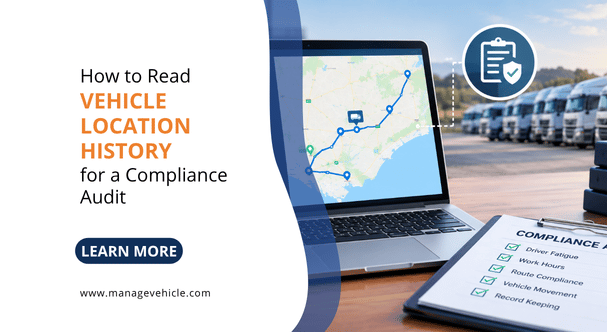
Vehicle location history is a timestamped GPS record of every trip, stop, and movement your fleet makes – and in a compliance audit, it is the single most revealing dataset an NHVR auditor will request. In a Chain of Responsibility investigation, this data is used to verify driver work and rest hours, confirm compliance with speed limits, cross-check work diary entries, and demonstrate that the operator had visibility into transport activities. Knowing how to read, interpret, and export this data before the auditor asks for it is the difference between a clean result and weeks of remediation.
GPS trip history is not just an operational tool. Under the HVNL, it is evidence. The NHVR’s auditors use it to verify whether your fatigue records match what actually happened on the road. We have sat through audits where the GPS data clearly showed a truck moving at 3 am while the work diary recorded the driver as resting. That single data point turned a routine compliance check into a full investigation. If your location history is stored, accessible, and you understand what it shows, you can catch those discrepancies before the regulator does.
What Vehicle Location History Actually Contains
A GPS tracking system records a data point at regular intervals, typically every 10 to 60 seconds depending on the system configuration and plan tier. Each data point captures a timestamp (date and time, usually in UTC or your configured timezone), GPS coordinates (latitude and longitude), vehicle speed at the point of recording, heading (direction of travel), ignition status (on or off), and an event type if applicable (trip start, trip end, harsh braking event, speed alert, geofence entry or exit).

Over the course of a single day, a truck running a 10-hour shift with a 30-second ping rate generates roughly 1,200 data points. Over a week, that is 6,000 to 8,400 records per vehicle. Over the three-year retention period required under the HVNL for fatigue records, a 10-vehicle fleet accumulates millions of data points.
Most fleet tracking platforms aggregate this raw data into a readable format: trip summaries showing start time, end time, start location, end location, distance, maximum speed, and average speed. That is the view you see on the dashboard. But the raw underlying data is what an auditor or investigator may request, and knowing what sits beneath the summary is critical.
What NHVR Auditors Look for in Vehicle Location History During a Compliance Audit
The NHVR does not audit your GPS data in isolation. They cross-reference it against other records to test for consistency. The GPS location history is one layer in a multi-source evidence check.

Fatigue compliance verification. The auditor compares your driver’s work diary entries (Written Work Diary or NHVR-approved Electronic Work Diary) against the GPS record for the same vehicle on the same dates. If the work diary shows the driver recorded a 7-hour continuous rest period from 10 pm to 5 am, the GPS data should show the vehicle stationary with ignition off for that entire period. If the GPS shows the vehicle moved 85 kilometres between 1 am and 2:30 am during that supposed rest, you have a fatigue breach and a falsified work diary entry. Both are serious.
The HVNL requires operators to retain fatigue records for three years – a requirement that continues under the 2026 amendments (commenced 1 August 2026). That means your GPS location history for the same period must also be accessible and exportable, because it is the verification layer. A platform that purges trip data after 90 days or 12 months leaves you unable to respond to a fatigue audit that requests records from 18 months ago.
Speed compliance. Auditors and investigators review GPS speed data to identify patterns of speeding, not just individual events. A single speeding event on its own may be a momentary lapse. Fifty speeding events by the same driver over three months show a systemic failure to manage driver behaviour. If the operator’s system recorded those events and nobody acted on them, the auditor will conclude the operator knew or ought to have known about the behaviour and failed to take reasonable steps. That is the CoR due diligence test – the legal standard under the HVNL for whether a party in the chain took all reasonable steps to prevent the breach.
Route and location verification for scheduling. In a CoR investigation triggered by a fatigue incident, the NHVR may examine whether the scheduling was realistic. If GPS data shows a truck regularly arriving at a delivery point at 2am after a 14-hour driving day, and the schedule required arrival by midnight, the auditor has evidence that the scheduling created pressure to drive beyond safe hours. That liability falls on the scheduler and the operator, not just the driver.
Geofence and site attendance records. For operators in construction, mining, or waste management, GPS geofence data shows when vehicles entered and exited specific sites. This is relevant to mass management (proving the vehicle attended a weighbridge), fatigue management (confirming rest was taken at an approved location), and general CoR evidence (demonstrating the operator knew what the vehicle was doing and where).
How to Read a GPS Trip Report
Most fleet management platforms display trip history as a list of trips with summary data. Here is how to read each element and what matters for audit purposes.
Trip start and end times. These are the timestamps when the ignition turned on and off. Compare these directly against the work diary entries. The trip start time should fall within the “work” period recorded in the diary. A trip starting before the driver’s recorded work start time is a red flag.
Trip duration vs driving time. Some systems distinguish between “trip duration” (ignition on to ignition off) and “driving time” (time the vehicle was actually moving). The difference is idle time. A trip that lasted 3 hours but only had 1.5 hours of driving time means the vehicle was stationary with the ignition running for 1.5 hours. This matters for fatigue. Under the HVNL, time spent in the driver’s seat with the engine running counts as work, not rest, even if the vehicle is stationary. A driver idling in a loading bay for 90 minutes is working, not resting.
We see this misunderstanding constantly. Drivers assume that because they stopped moving, the clock stopped. It did not. The HVNL defines work to include “any time spent driving a fatigue-regulated heavy vehicle” and any other work for the driver’s employer. Idle time with ignition on does not satisfy rest requirements.
Maximum speed and speed events. The trip summary usually shows the highest speed recorded during the trip. If the max speed exceeds the posted limit on any segment of the route, that is a speeding event. More sophisticated systems log every instance where speed exceeded a configurable threshold, tagged with timestamp, location, speed, and the applicable speed limit. For audit purposes, look at speed events in the context of the route. A max speed of 105 km/h on a highway trip is different from 105 km/h passing through a town with a 60 km/h posted limit.
Stop locations and durations. Every stop (ignition off) is logged with location and duration. Cross-reference stop locations against approved rest areas. Under Standard Hours, a driver must take a continuous rest break of at least 7 hours in every 24 hours, and at least 24 continuous hours of stationary rest in every 7 days. The GPS data should show stops at locations where meaningful rest is possible, not 7-minute stops at fuel stations recorded as “rest.”
Breadcrumb trail and route replay. Most platforms offer a map replay that shows the vehicle’s path during a trip, plotted on a map with timestamps. This is the most intuitive way to review a trip for compliance purposes. You can visually verify the route taken, identify detours, spot extended stops, and see where speed events occurred in geographic context. An auditor will often request a screenshot or export of this route replay for specific dates.
How to Export Location History for an NHVR Audit
When the NHVR issues an audit notice, the request will specify the date range, the vehicles, and the records required. For GPS location data, you need to be able to export trip summaries with start/end times, locations, distances, and max speeds for the requested date range, raw GPS data points (if requested) in CSV or similar format, speed event logs with timestamps and locations, geofence entry/exit records, and idle time and stop reports.
The export must be timestamped and attributable to a specific vehicle. An export that shows trips but cannot identify which vehicle made them is useless for audit purposes.
Check your platform’s data retention settings before you need them. If your system is configured to retain 12 months of detailed trip data but the HVNL requires three-year retention for fatigue records, you have a gap. Adjust retention settings now. Do not wait until the audit notice arrives to discover your data from 18 months ago has been purged.
We typically recommend operators run a test export quarterly. Pick a random date from six months ago, export the trip data for two vehicles, and verify it is complete and readable. If the export fails, throws errors, or is missing data, fix the problem while it is a configuration issue rather than an audit finding.
Matching GPS Data to Work Diary Entries
This is the practical skill that separates operators who pass audits from operators who do not. The process is straightforward but requires discipline.
Pull the driver’s work diary records (WWD or EWD) for the audit date range. For each day, note the recorded work start time, rest periods, and work end time.
Pull the GPS trip report for the same vehicle and date range. Match trip start times against recorded work start times. Match stop durations and locations against recorded rest periods. Check for any vehicle movement during recorded rest periods.
Flag any discrepancy. The most common ones we see are trips starting 15 to 30 minutes before the recorded work start (the driver started driving but forgot to start their diary entry), short rest periods recorded in the diary that do not appear as stops in the GPS data (the driver recorded a break they did not take), and vehicle movement during overnight rest periods (suggesting the driver, or another person, moved the vehicle).
Each discrepancy needs a documented explanation. If the vehicle moved during a recorded rest period because a yard worker moved it for loading, that is a legitimate explanation, but only if it is documented. If there is no explanation, the auditor will treat it as a potential fatigue breach.
EWD systems that integrate with GPS telematics perform this cross-referencing automatically. The EWD records the driver’s work and rest entries while the GPS independently records vehicle movement. When the two data streams conflict, the system flags it in real time, giving the operator a chance to investigate and correct the record before it becomes an audit finding.
Common Mistakes Operators Make with Vehicle Location History

Not checking data retention settings. The default retention on many tracking platforms is 90 days or 12 months for detailed trip data. The HVNL requires operators to retain fatigue records for three years. If your GPS data is the verification layer for those fatigue records, it needs to be available for the same period. Check your settings. Upgrade your storage plan if necessary. The cost of extended data retention is a fraction of the cost of being unable to produce records during an audit.
Treating location history as a back-office report nobody reads. GPS data sitting on a dashboard that nobody opens is not evidence of operator oversight. It is evidence that the data existed and the operator ignored it. Under the HVNL’s PSOE audit framework, the auditor tests whether your systems are not just Present (they exist), Suitable (they are fit for purpose), and Operating (they are switched on and generating data), but also Effective – meaning they actually produce safety outcomes, meaning they actually produce safety outcomes. A location history report that is generated but never reviewed, never used to verify fatigue records, and never cross-referenced against work diary entries fails the Effective test.
Relying on GPS data as a substitute for an NHVR-approved EWD. GPS trip data shows where the vehicle was and when it moved. It does not satisfy the HVNL’s work diary obligations. A driver must maintain a Written Work Diary or use an NHVR-approved Electronic Work Diary to record work and rest hours. GPS data alone, even with ignition-on/off timestamps, is not an approved method of recording fatigue compliance. It is a supporting verification layer, not a replacement. Only systems listed on the NHVR’s approved EWD register can legally replace a Written Work Diary.
Using location data from a different timezone without converting. GPS systems record timestamps in UTC by default. If your platform displays times in local timezone, confirm the timezone setting is correct for your operating region. An operator running across NSW and Queensland (which does not observe daylight saving) may have trips that appear to start an hour earlier or later than they actually did if the timezone configuration is wrong. That kind of discrepancy looks like a fatigue breach on paper even when it is a software setting issue.
Not exporting and testing before an audit arrives. The first time you try to export 18 months of trip data should not be the day after you receive an audit notice. Run a test export quarterly. Verify the data is complete, correctly timestamped, and attributable to specific vehicles. Fix configuration problems proactively.
A Practical Pre-Audit Location History Checklist
Run through this checklist before publishing an audit response or on a quarterly self-review basis.

Confirm data retention is set to at least three years for all vehicles. Verify timezone settings match your operating jurisdiction. Export trip data for a sample week from 12+ months ago and confirm it is complete. Cross-reference two days of GPS trip data against the corresponding work diary entries for the same vehicle and confirm they match. Check that stop locations during recorded rest periods are plausible rest locations, not active worksites. Verify speed event logs are being captured and stored, not just displayed in real time. Confirm geofence entry/exit records are available for relevant sites (weighbridges, depots, client sites). Ensure every trip record is attributable to a specific vehicle by registration or fleet number. Test the export format: can the auditor open and read the file without needing your platform login? CSV or PDF exports that include vehicle ID, trip timestamps, locations, speeds, and stop durations are the minimum.
Frequently Asked Questions (FAQs)
What is vehicle location history in fleet management?
Vehicle location history is a timestamped GPS record of every trip, stop, and movement made by a tracked vehicle. Each data point includes a timestamp, GPS coordinates, speed, heading, and ignition status. Fleet management platforms aggregate this raw data into trip summaries showing start/end times, distances, routes, speeds, and stops.
Does the NHVR use GPS data in compliance audits?
Yes. NHVR auditors cross-reference GPS location history against work diary entries, maintenance records, and scheduling data to verify fatigue compliance, speed adherence, and CoR due diligence. GPS data that contradicts work diary entries, for example, showing vehicle movement during a recorded rest period, can trigger a full investigation.
How long must I keep GPS trip data for HVNL compliance?
The HVNL requires operators to retain fatigue records for three years. Because GPS location data serves as the verification layer for those records, it should be retained for the same period. Many tracking platforms default to 90 days or 12 months of detailed data. Check your retention settings and upgrade if necessary.
Can GPS tracking data replace an Electronic Work Diary?
No. GPS trip data shows vehicle location and movement. It does not satisfy the HVNL’s requirement for drivers to record work and rest hours in a Written Work Diary or NHVR-approved EWD. GPS data is a supporting verification layer. Only systems listed on the NHVR’s approved EWD register can legally replace a paper work diary.
What happens if GPS data and work diary entries do not match?
A discrepancy between GPS data and work diary entries must be investigated and documented. Vehicle movement during a recorded rest period may have a legitimate explanation (yard movement by another person), but that explanation must be on record. Unexplained discrepancies can be treated as potential fatigue breaches and falsified work diary entries, both of which are serious offences under the HVNL.
What format should GPS data be exported in for an audit?
CSV or PDF exports that include vehicle ID, trip start and end timestamps, GPS coordinates, distance, maximum and average speed, stop locations and durations, and any flagged events (speeding, geofence breaches). The export must be readable without requiring the auditor to log into your platform. Test the export format before you need it.
Does idle time count as rest under the HVNL?
No. Under the HVNL’s broad definition of work, time spent in the driver’s seat with the engine running is classified as work even if the vehicle is not moving. A driver waiting in a loading bay or queuing at a site with the ignition on is accumulating work time, not rest time. GPS trip reports distinguish between driving time and idle time, and auditors review both when assessing fatigue compliance.