
Fleet Incident Management From the First Report to the Fix
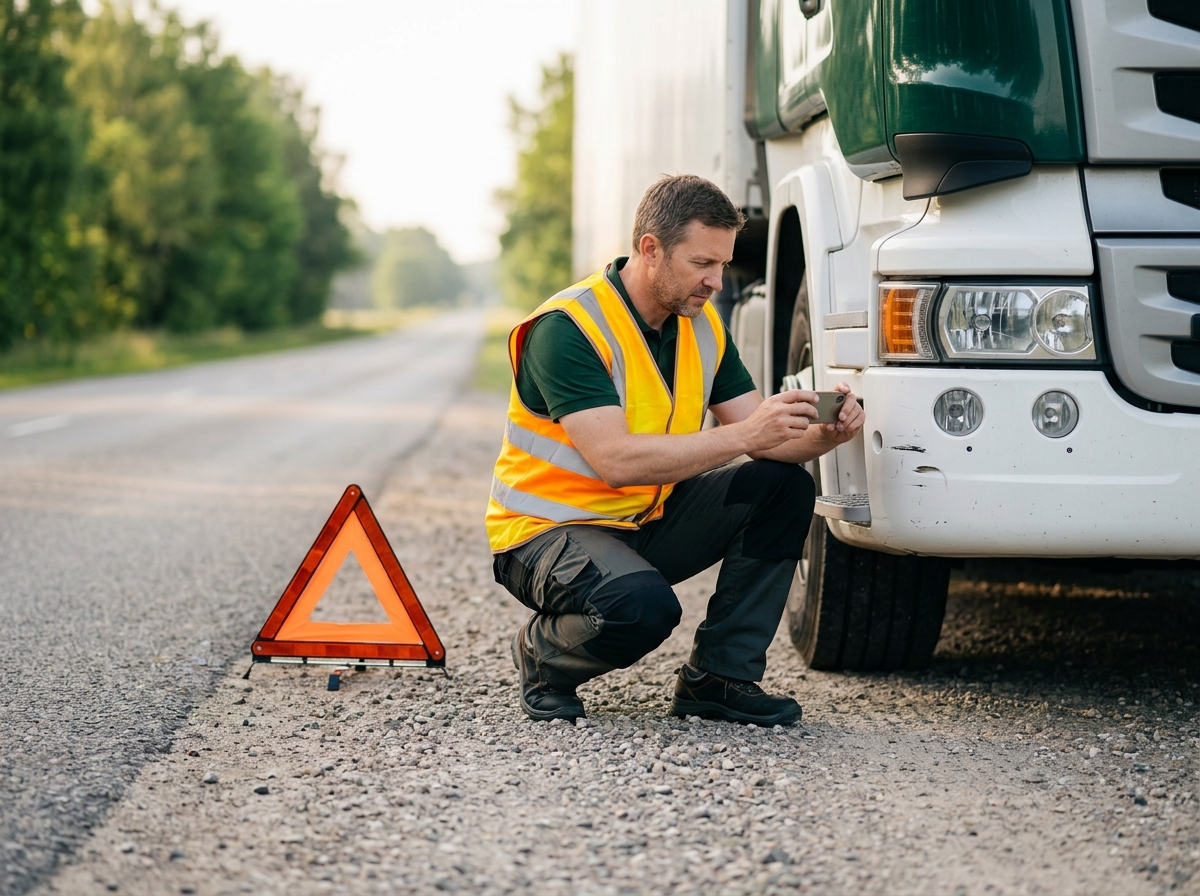
When something goes wrong on the road, the first hour matters. ManageVehicle's fleet incident management lets drivers report crashes, near misses and faults from their phone, with photos and location, and tracks every follow-up until it's closed.
What changes when incidents are reported properly the first time.
BEFORE MANAGE VEHICLE
Before ManageVehicle
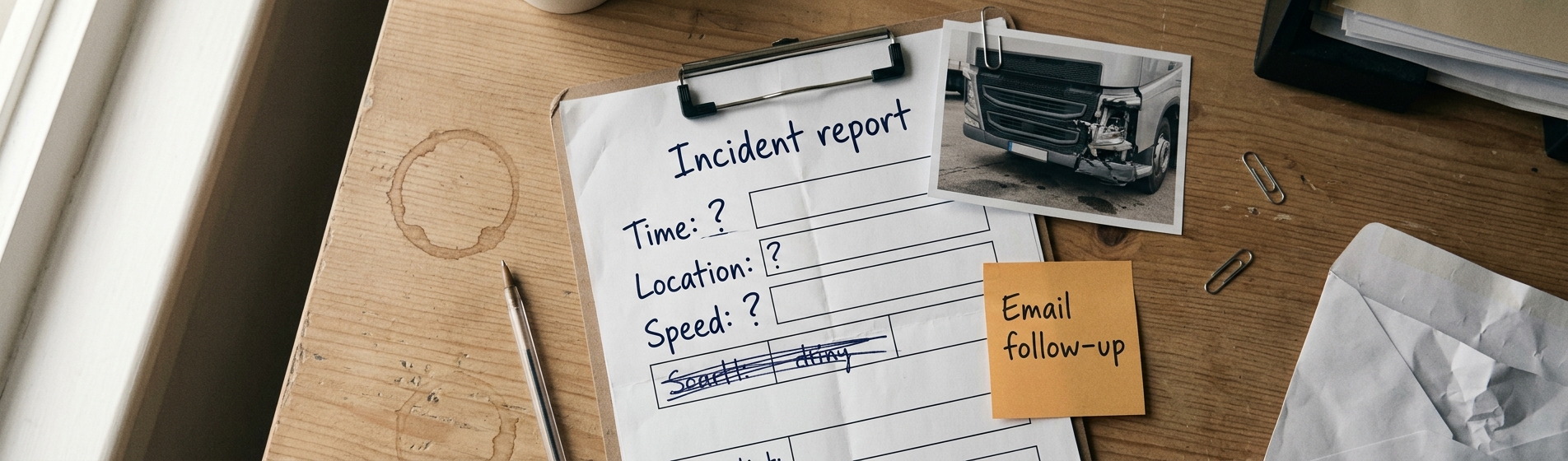
A shaky phone call from the side of the road
Photos stuck on the driver's personal phone
Nobody sure where it happened or how fast they were going
Near misses never reported
Follow-ups that fall through the cracks
AFTER MANAGE VEHICLE
Connected, live and proactive
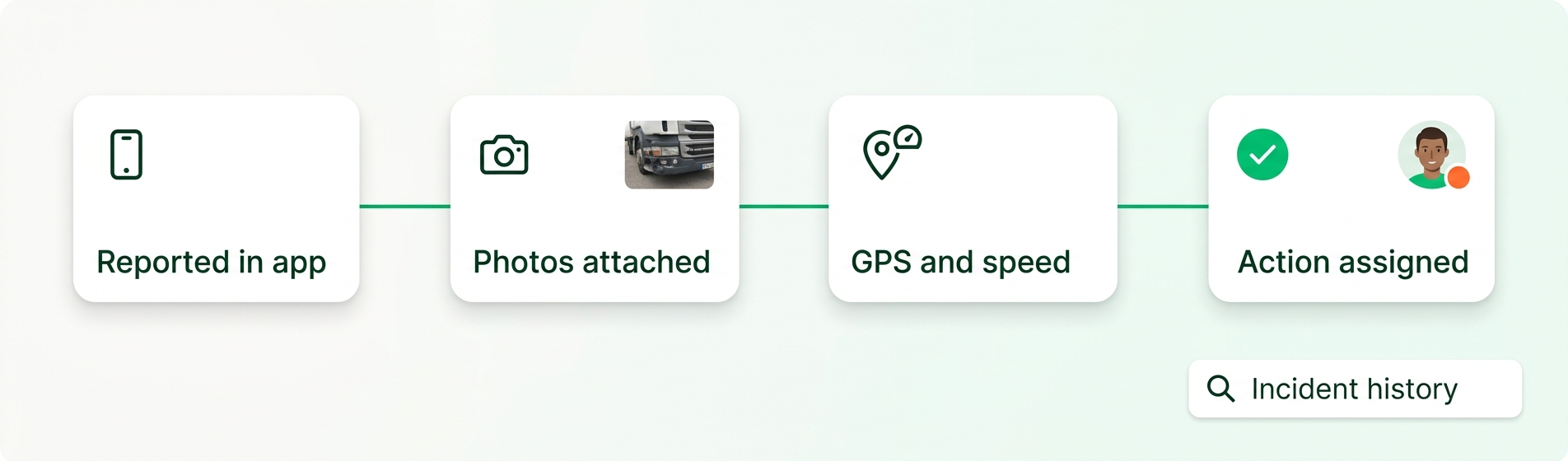
A structured report from the driver app in minutes
Photos attached to the incident record
Location, time and speed pulled from GPS
Quick near-miss reports so patterns get spotted
Every action tracked until the incident is closed
What Is Fleet Incident Management?
Fleet incident management is how you record, investigate and follow up crashes, near misses, damage and vehicle faults, so problems get fixed and don't happen again.
Driver Report
Logged in the app with photos.
Vehicle Data
GPS, speed and dashcam footage.
ManageVehicle
Brings the report and data together
Follow-up & Records
Actions tracked, incident closed.
Product experience
From the roadside report to a closed incident
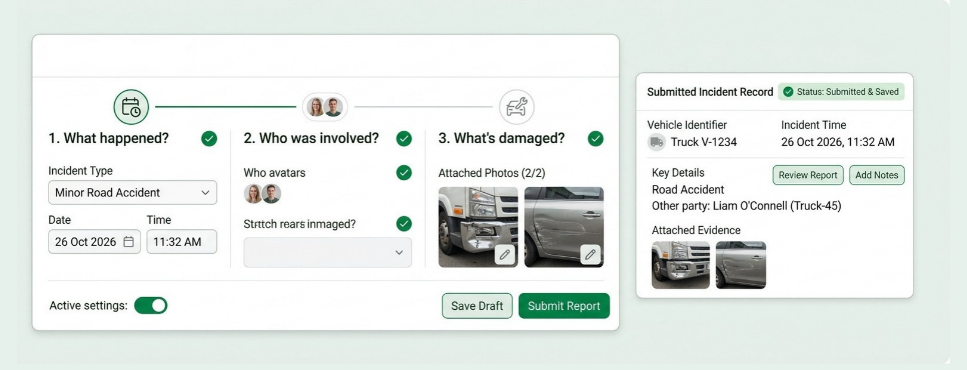
Drivers report incidents in a few taps
Better reports, first time.
The driver app walks drivers through what happened, who was involved and what's damaged. Simple enough to use when they're shaken up, thorough enough for your insurer.
What your team can do:
Crash and damage reports
Near-miss reports
Vehicle fault reports
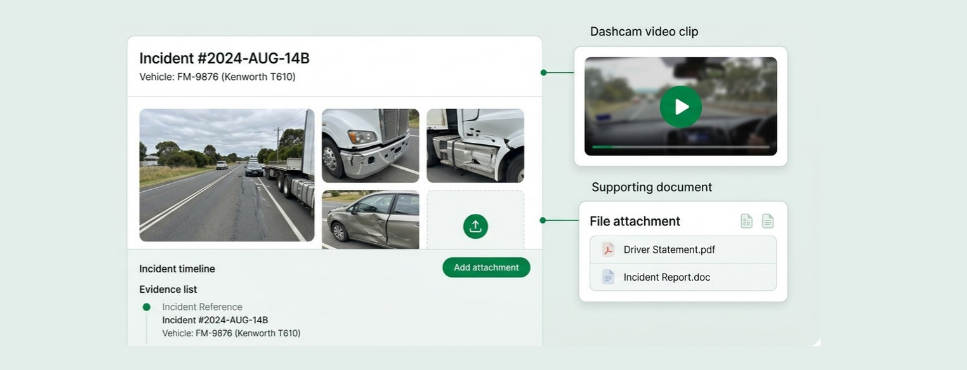
Keep the evidence with the incident
Everything in one place for claims.
Drivers attach photos of the scene, damage and other vehicles straight from the app. Add dashcam clips and documents later, all in one record.
What your team can do:
Dashcam footage attached
Documents and notes
Photos from the scene
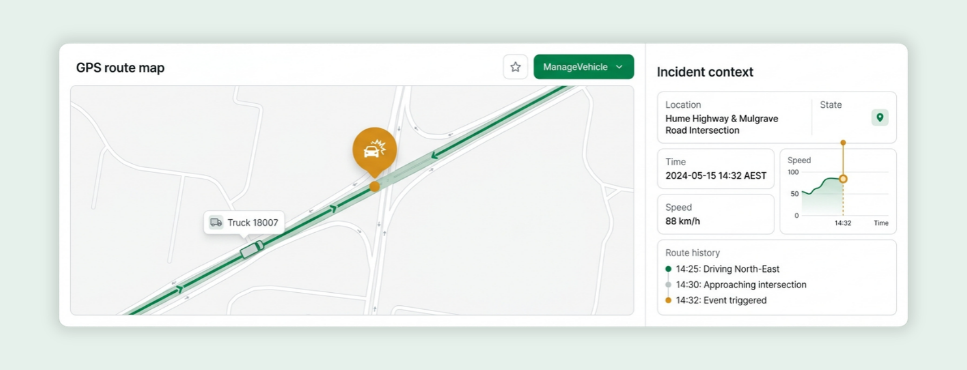
Know exactly where and how it happened
Facts, not memories.
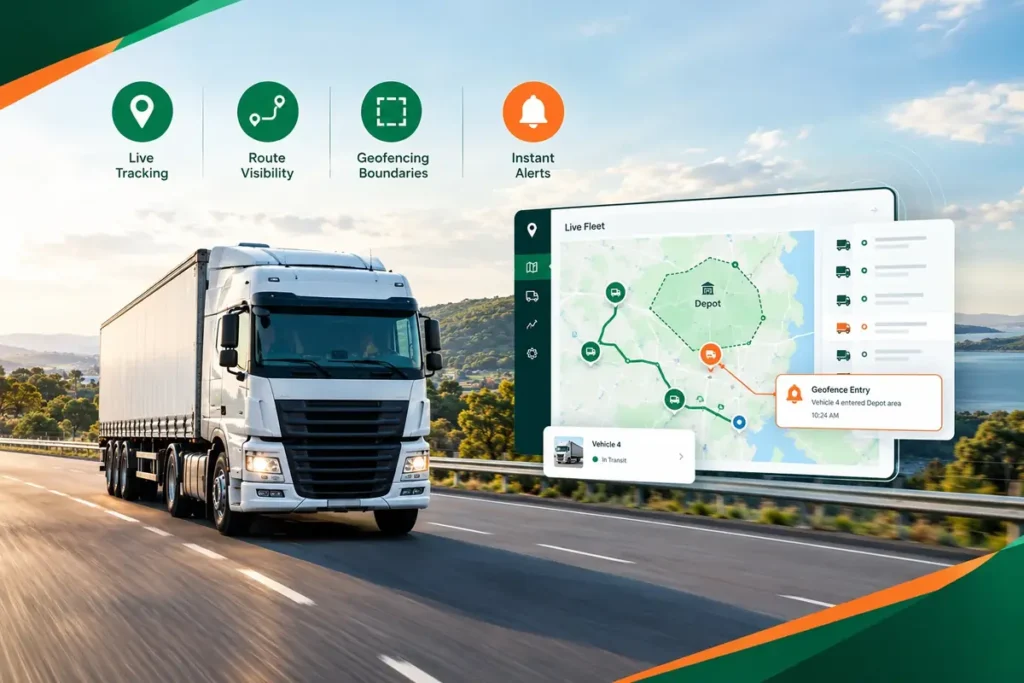
Each incident is linked to the vehicle's GPS data, so you see the location, time and speed when it happened, plus the route before it.
What your team can do:
Incident location on the map
Speed at the time
Route leading up to it
Track every action until it's done
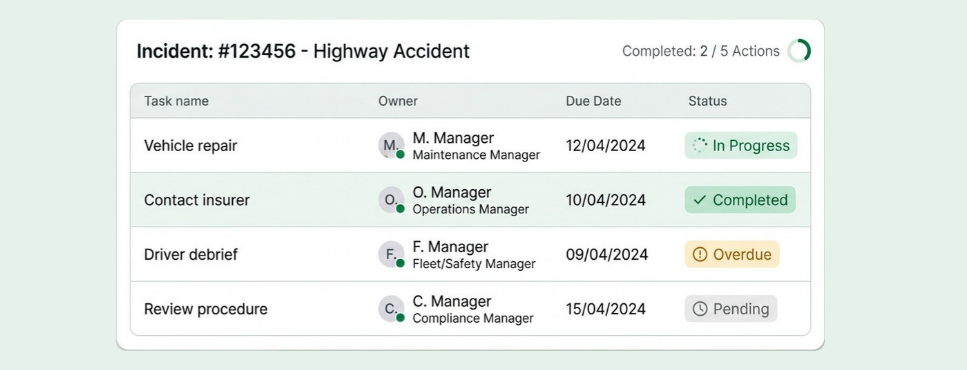
Assign follow-ups like repairs, insurer contact, driver debriefs or procedure changes. See what's open and what's overdue.
Nothing falls through the cracks.
What your team can do:
Assign actions to people
Track open and overdue items
Close incidents when done
Spot patterns before they become problems
Learn from every incident.
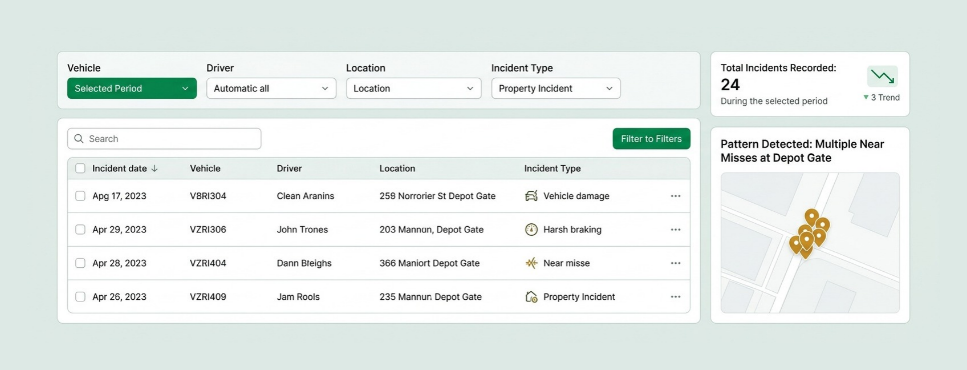
Look back across incidents by vehicle, driver, location or type. Repeat near misses at the same depot gate tell you something needs to change.
What your team can do:
Filter by driver or vehicle
Incidents by location and type
Export for audits and insurers
Stop Asking "What Happened Out There?"
The questions that come after every incident, answered from one record.
Where did the crash happen?
Check the incident location.
Do we have photos for the insurer?
See the speed at the time.
Do we have photos for the insurer?
Open the attached photos
Has the repair been booked?
Check the follow-up actions
Is this the same spot as last time?
Filter incidents by location.
Incident records that show you acted
Under Chain of Responsibility, it's not enough to record what went wrong. You need to show what you did about it. Time-stamped reports and follow-ups give you that proof.
Reports with time and place
Every incident linked to when and where it happened.
Corrective actions on record
Show each follow-up, who did it and when.
Works next to your EWD
Incidents show what happened. MV Driver, our NHVR-approved EWD, shows the hours worked before it.
Connected incident & fleet operations
Incidents are easier to investigate when the report sits next to video, location, driver hours and maintenance.
Incidents + dashcams
Add Video to Every Report
A connected incident record can include
Event clip
Road and cab footage
Speed
Driver and vehicle
Incidents + GPS
Rebuild the Moments Before
Tracking context can include
Location
Speed at the time
Route before the event
Stop times
Incidents + maintenance
Send Damage Straight to the Workshop
Maintenance workflows can include
Repair jobs
Defects
Vehicle off the road
Return to service
Incidents + EWD
Check Hours Before the Incident
Driver records can include
Work and rest before the event
Breaches
Fit-to-drive check
Fatigue alerts
Paper incident forms VS Fleet incident management
Paper incident forms vs incident management software. A paper form records what someone remembers. Incident management records what actually happened, and what you did next.
Real operators, real problems, and what changed once everything sat in one system.
Brandon Manion Coaches
Problem
Maintenance across the bus fleet was difficult to track, with information spread across driver checks and maintenance records.
Result
Drivers complete daily inspections, record odometer readings and report faults directly in Manage Vehicle. The maintenance team has clear, up-to-date visibility of what needs attention. Better maintenance visibility. Fewer missed issues. A fleet that stays on top of its maintenance.
G & V Logistics
Problem
Limited visibility of where loads are while in transit, and difficulty quickly accessing evidence when an incident occurs.
Result
With telematics, G & V Logistics can see where their loads are in real time and share location details with clients immediately. In the event of an incident, they can quickly access and share relevant footage with insurers or other parties.
Alpine Civil Earthmoving
Problem
Limited visibility of how equipment is being used on site, making it difficult to track operating hours and actual equipment utilisation.
Result
Telematics gives Alpine Civil clear visibility of where equipment is and how long it has been operating on site. This helps them monitor utilisation, track equipment activity and better understand how their machines are being used. Better equipment visibility. Better utilisation tracking. More control over site operations.
Veera Transport
Problem
Jobs, PODs and invoicing were previously managed in batches, with the team waiting until the end of the week to collect everything and process invoices.
Result
Jobs are now allocated, driver approval is captured, PODs are recorded, and invoices are sent to the client within 15 minutes of job completion. Faster invoicing. Faster payments. Better cash flow.
Fleet Incident Management FAQs
It's how you record, investigate and follow up crashes, near misses, damage and vehicle faults. ManageVehicle keeps the report, evidence and actions in one place.
Through the driver app on iOS or Android. It guides them through the details and lets them attach photos on the spot.
Yes. Near-miss reports are quick to make, and they help you spot risks before they turn into crashes.
Yes. Each incident links to the vehicle's GPS data, including location, time and speed.
Yes. If the vehicle has a smart dashcam, the clip can be added to the incident record alongside the driver's photos.
Yes. Assign actions like repairs, insurer contact or driver debriefs, and track them until the incident is closed.
Yes. Time-stamped reports and corrective actions help show the reasonable steps you take to manage safety risks.
Yes. Incident records, photos and reports can be exported to share with insurers or auditors.
Explore More Manage Vehicle Solutions
Smart Dashcams
Elevate fleet safety and security with Smart Dashcams. Our fleet management solution includes cutting-edge dashcams that provide real-time...
Get a 30-minute walkthrough of ManageVehicle set up around your fleet. We'll show you how tracking, EWD,
maintenance and risk management work together, and answer your HVNL questions on the spot.
Walkthrough based on your fleet size and setup
Your HVNL and EWD questions answered live
Local Australian support team
See ManageVehicle in action
Tell us a bit about your fleet and we'll be in touch within one business day.