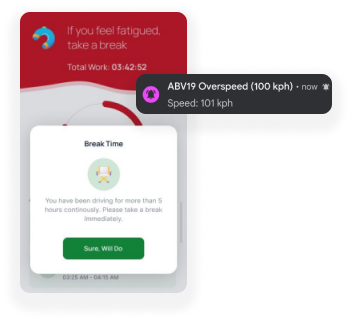
Smart Dashcams for Fleets That Flag Risk as It Happens
ManageVehicle's smart dashcams for fleets record the road and the cab, pick up risky moments like fatigue and distraction, and link every clip to the vehicle's location and speed. You see what happened instead of guessing.
What changes when every risky moment comes with a clip.
BEFORE MANAGE VEHICLE
Manual, fragmented and reactive
"It wasn't my fault" with nothing to back it up
Fatigue and distraction you only hear about after a crash
Hours scrubbing through footage to find one moment
Insurance claims that drag on for months
Coaching based on gut feel
AFTER MANAGE VEHICLE
Connected, live and proactive
Video of the event, with speed and location
In-cab alerts when the camera spots the signs
Event clips saved and tagged automatically
Footage ready to send to your insurer
Real clips to review with drivers, fairly
What Are Smart Dashcams for Fleets?
Smart dashcams for fleets are connected cameras that record the road and the driver, use AI to spot risky events, and send clips to fleet software with the vehicle's location and speed. Paired with GPS, it becomes a vehicle tracking system with camera evidence built in.
Dashcam
Records road and cab, detects events.
Network
Sends event clips and alerts.
ManageVehicle
Links video to GPS, driver and vehicle.
Review & Action
Alerts, coaching and evidence.
Product Experience
From a risky moment on the road to a coaching conversation
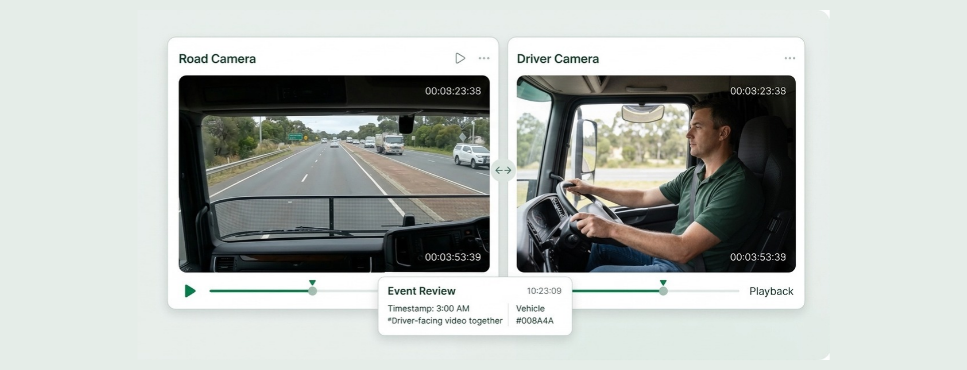
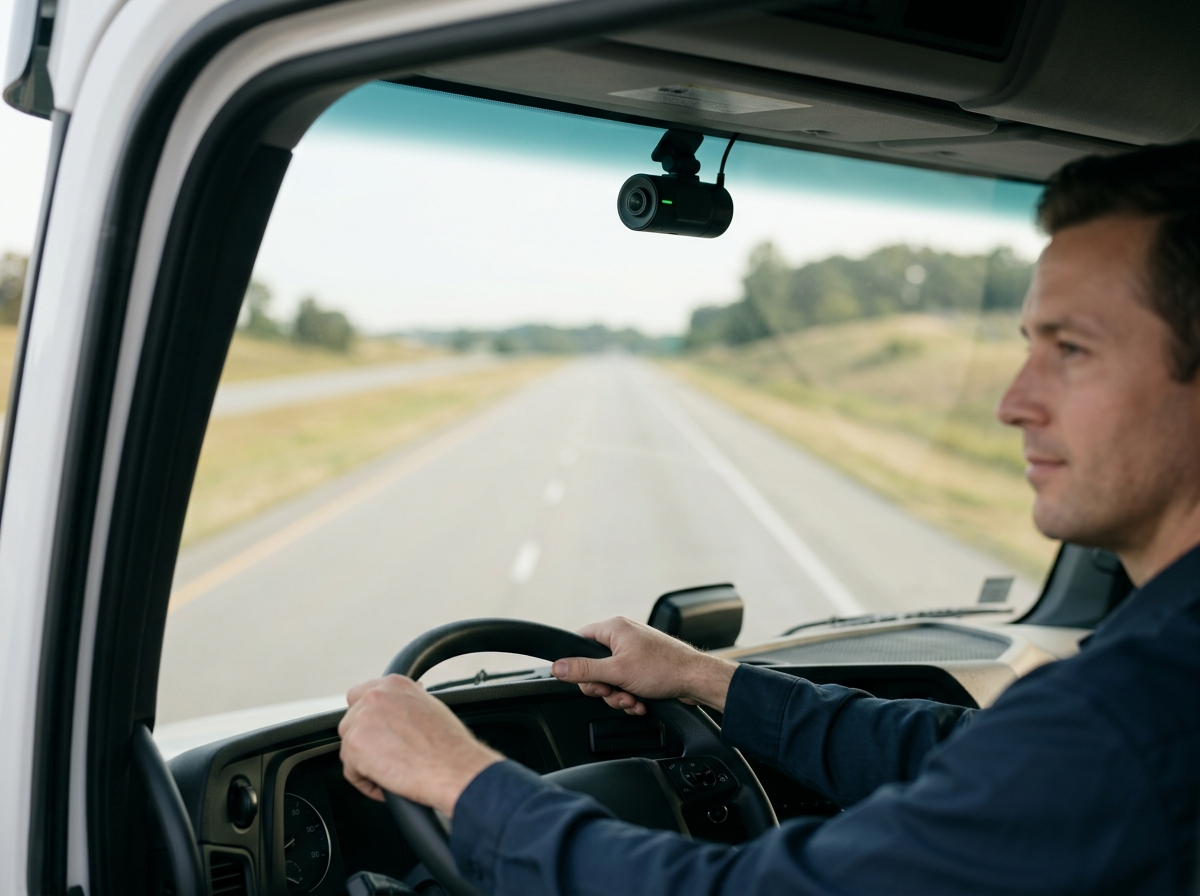
See the road and the cab together
The full picture, not half of it.
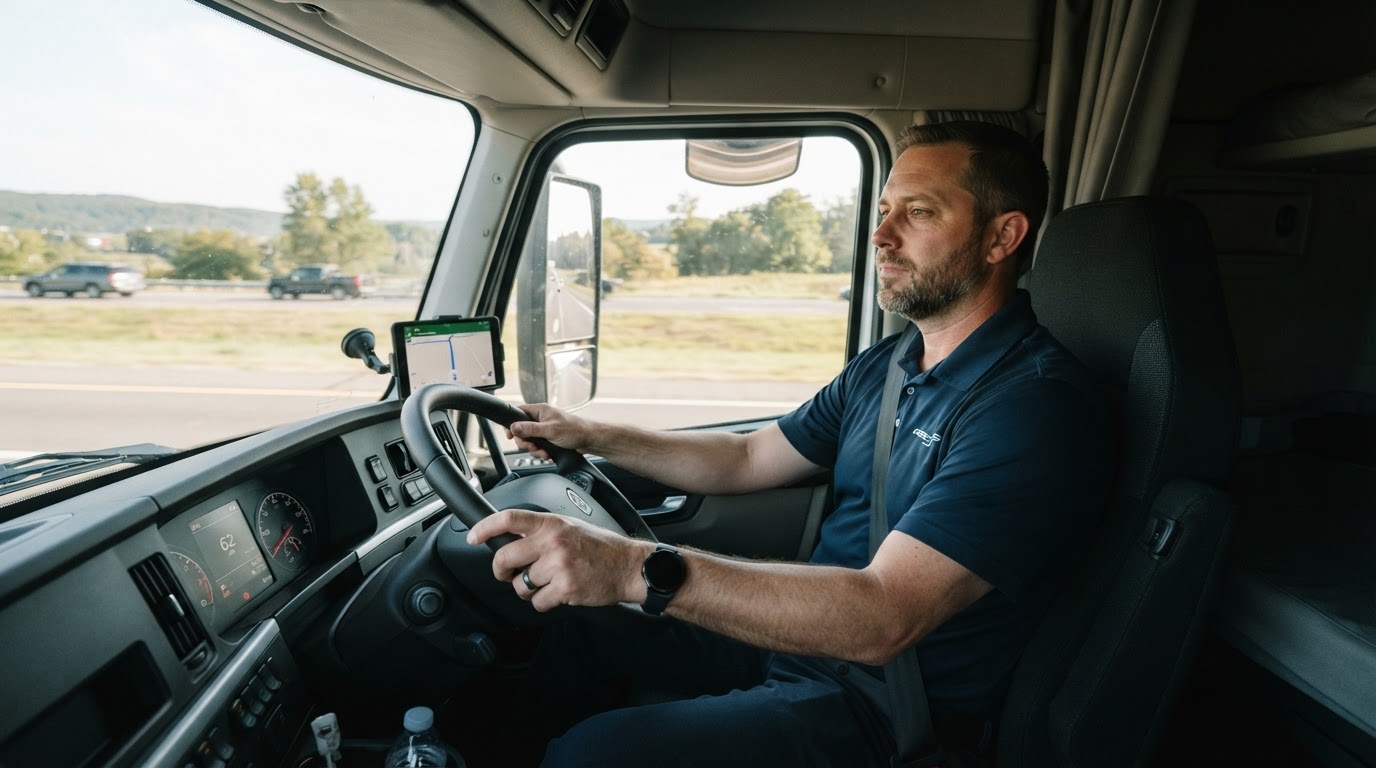
Road-facing and driver-facing cameras record what happened in front of the truck and inside it. When something goes wrong, you have both sides of the story.
What your team can do:
Road-facing video
Driver-facing video
Clips matched to time and place
Alerts for fatigue and distraction
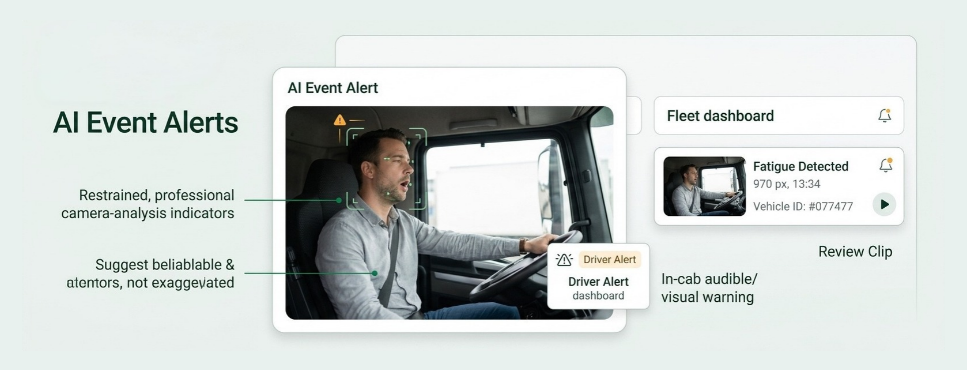
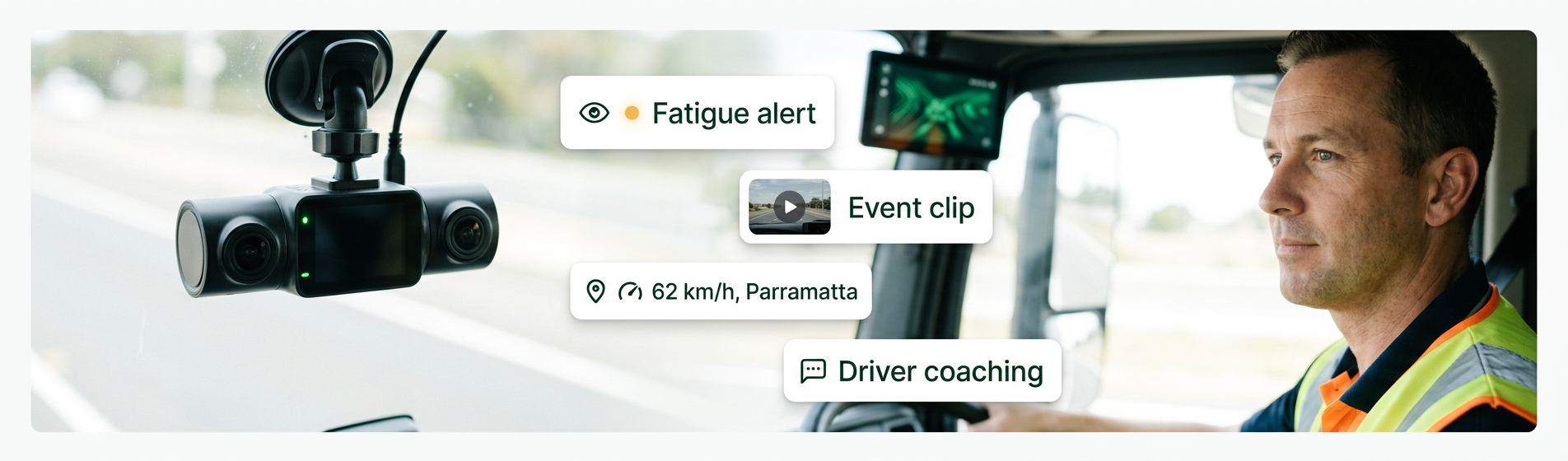
AI fleet management that catches risky moments before they become crashes.
The camera watches for signs like eyes closing, yawning or looking away from the road. The driver gets an in-cab warning and your team gets an alert with the clip.
What your team can do:
Fatigue alerts
Distraction alerts
In-cab warnings for drivers
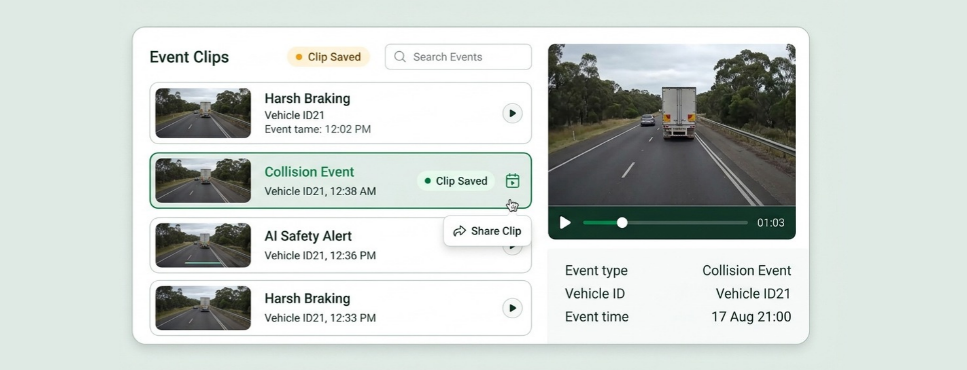
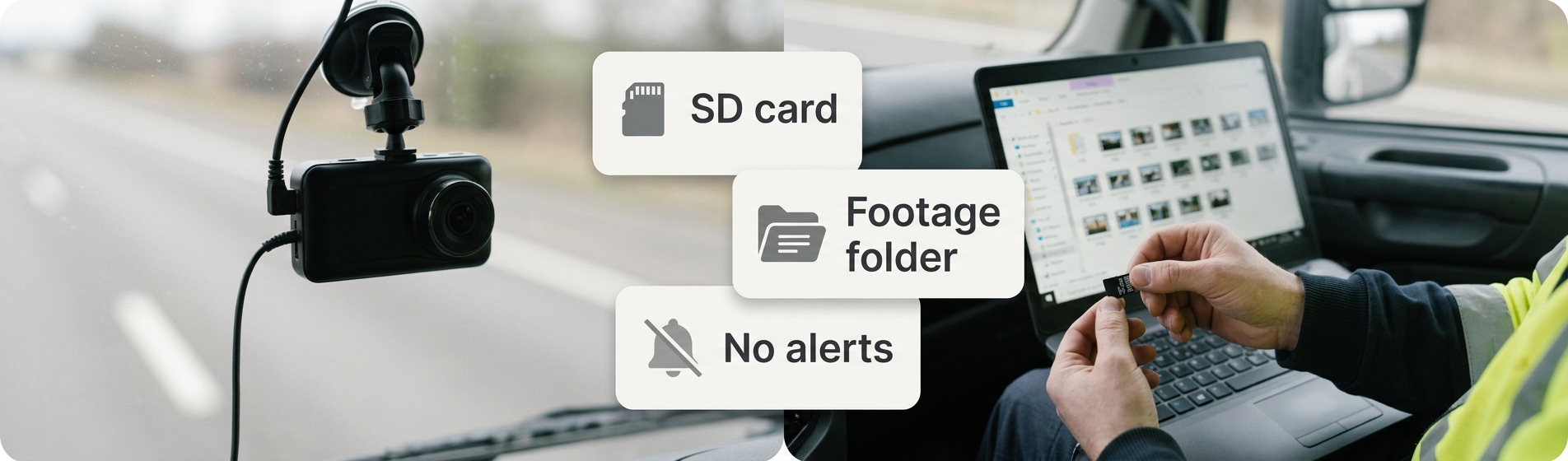
The right clip, without scrubbing through hours
Footage that's easy to find and share.
Harsh braking, collisions and AI events trigger a clip that's saved and tagged automatically. Find the moment you need in seconds.
What your team can do:
Automatic event clips
Filter by event type
Download or share footage
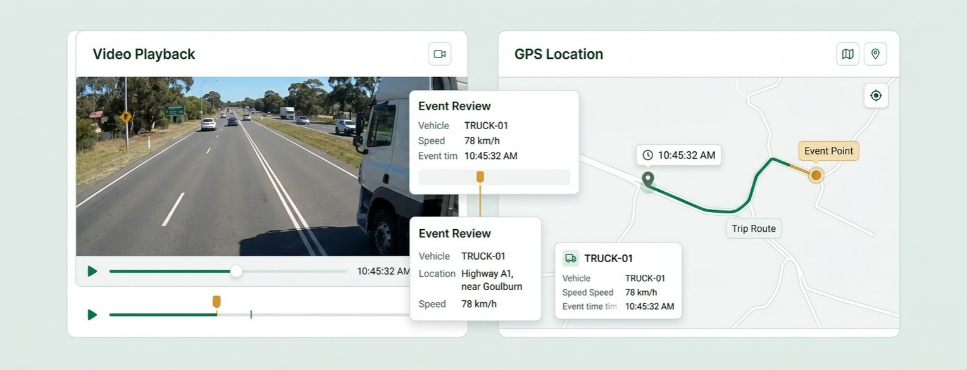
Fleet tracking with camera footage, side by side
Video plus data, side by side.
Each clip sits next to the vehicle's GPS data, so you can see where it happened and how fast the vehicle was going. Stronger evidence for claims and disputes.
What your team can do:
Location on the map
Speed at the time
Route before and after
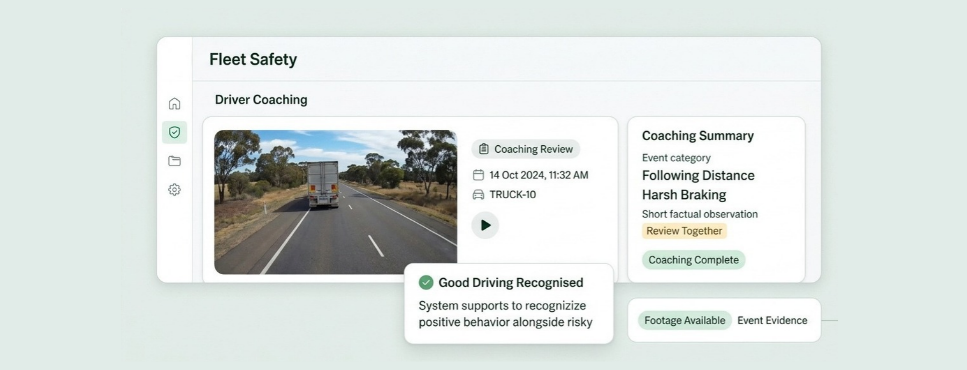
Coach drivers with real examples
Fair conversations based on facts.
Use clips to talk through risky moments with drivers, and recognise good driving too. Footage also protects drivers when they're not at fault.
What your team can do:
Review clips with drivers
Track events by driver
Show when drivers weren't at fault
Stop Asking "What Actually Happened?"
The questions that come up after every near miss, answered with video instead of opinions.
Who was at fault in that crash?
Watch the event clip.
Was the driver on the phone?
Check the cab footage.
How fast was it going at the time?
See speed next to the clip.
Any fatigue alerts last night?
Open the AI alert list.
Can we send this to the insurer?
Download the clip.
Video evidence that protects your drivers and your business
Footage linked to location and speed gives you a clear record for insurers, incident reviews and the reasonable steps you take under Chain of Responsibility. Not sure how cameras differ from a full IVMS? Read what an in-vehicle monitoring system is.
Evidence for claims
Clips with time, speed and location ready to share.
Fatigue and distraction on record
Every AI alert saved the driver and time.
Works next to your EWD
Cameras show the road. MV Driver, our NHVR-approved EWD, shows the hours worked.
Connected Dashcams & Fleet Operations
Video is most useful when it's linked to the rest of what you know about the trip, the driver and the vehicle.
Dashcams + GPS
Camera and GPS Tracking in One View
A connected safety record can include
Location
Speed at the time
Route taken
Dashcam footage
Dashcams + incidents
Build Incident Reports With Video
An incident record can include
Event clip
Photos from the driver
Location and time
Follow-up actions
Dashcams + fatigue
Add Video to Fatigue Management
Fatigue records can include
Fatigue alerts
Hours worked
Fit-to-drive checks
Follow-up
Dashcams + driver behaviour
Back Driver Scores With Clips
Driver records can include
Harsh braking
Speeding; Distraction events
Coaching notes
Standard Dashcams vs Smart Dashcams
A standard dashcam records. A smart dashcam tells you when something worth watching just happened.
Real operators, real problems, and what changed once everything sat in one system.
Brandon Manion Coaches
Problem
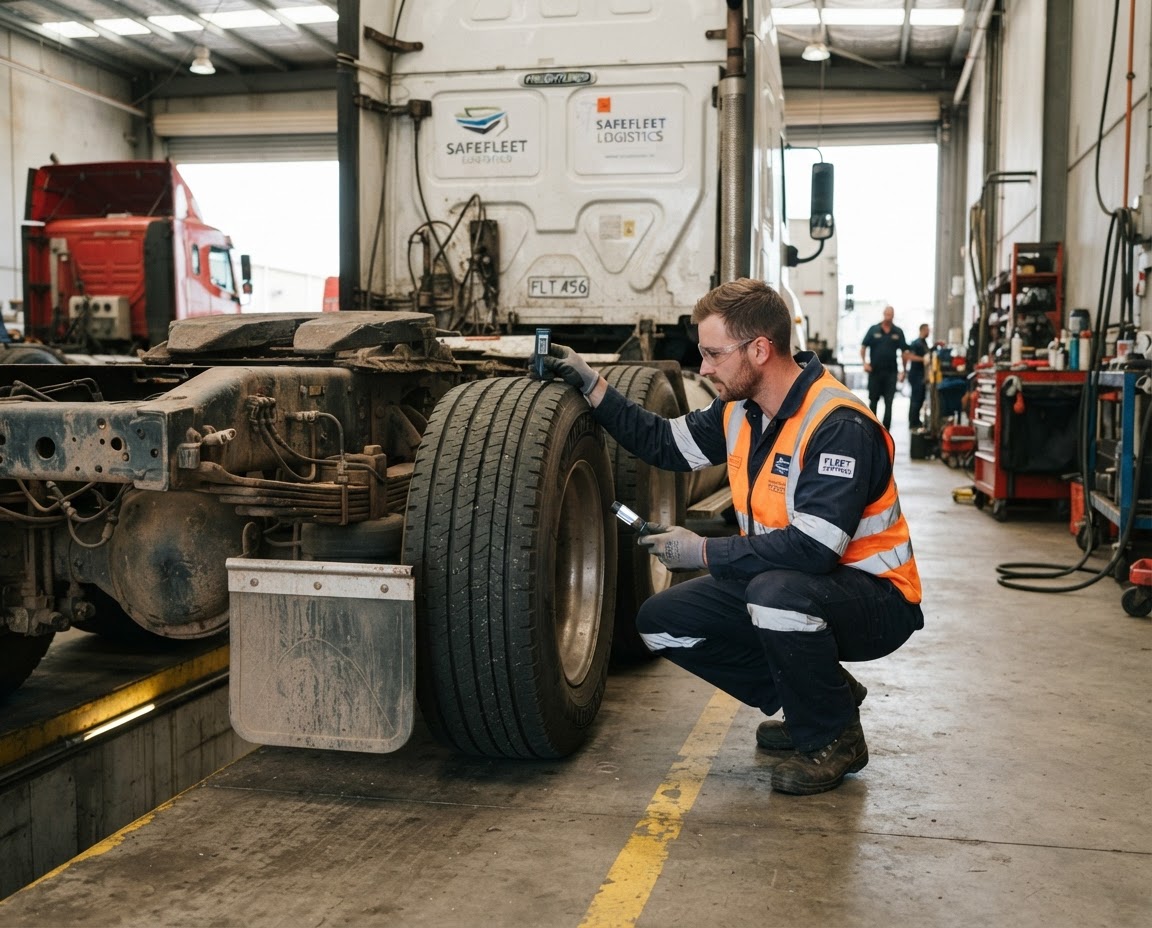
Maintenance across the bus fleet was difficult to track, with information spread across driver checks and maintenance records.
Result
Drivers complete daily inspections, record odometer readings and report faults directly in Manage Vehicle. The maintenance team has clear, up-to-date visibility of what needs attention. Better maintenance visibility. Fewer missed issues. A fleet that stays on top of its maintenance.
G & V Logistics
Problem
Limited visibility of where loads are while in transit, and difficulty quickly accessing evidence when an incident occurs.
Result
With telematics, G & V Logistics can see where their loads are in real time and share location details with clients immediately. In the event of an incident, they can quickly access and share relevant footage with insurers or other parties.
Alpine Civil Earthmoving
Problem
Limited visibility of how equipment is being used on site, making it difficult to track operating hours and actual equipment utilisation.
Result
Telematics gives Alpine Civil clear visibility of where equipment is and how long it has been operating on site. This helps them monitor utilisation, track equipment activity and better understand how their machines are being used. Better equipment visibility. Better utilisation tracking. More control over site operations.
Veera Transport
Problem
Jobs, PODs and invoicing were previously managed in batches, with the team waiting until the end of the week to collect everything and process invoices.
Result
Jobs are now allocated, driver approval is captured, PODs are recorded, and invoices are sent to the client within 15 minutes of job completion. Faster invoicing. Faster payments. Better cash flow.
Smart Dashcams for Fleets FAQs
They're connected cameras that record the road and the driver, use AI to detect risky events and send clips to ManageVehicle with the vehicle's speed and location.
Common events include fatigue signs, distraction, harsh braking and collisions. The exact list depends on the camera model, which we'll confirm for your fleet.
Yes. When the camera detects fatigue or distraction, the driver gets an in-cab warning so they can correct straight away.
Yes. It works like a GPS tracker with camera footage: every clip sits next to the vehicle's location and speed at the time, so you see the full context.
Yes. Clips with time, speed and location give your insurer clear evidence, which can help claims move faster.
Workplace surveillance rules vary by state, and notice requirements usually apply. Our guide on the legal side of vehicle tracking technology covers the basics. Get legal advice for your situation.
Most do once they see footage that protects them when they're not at fault. Being upfront about why you're installing them helps a lot.
It depends on the hardware. Talk to us during the demo about the cameras you already have.
Explore More Ways To Connect
Driver Behaviour
Stay in control of your fleet's safety with our Speeding/Reckless Driving Alerts. Our fleet tracking software in Australia...
Get a 30-minute walkthrough of ManageVehicle set up around your fleet. We'll show you how tracking, EWD,
maintenance and risk management work together, and answer your HVNL questions on the spot.
Walkthrough based on your fleet size and setup
Your HVNL and EWD questions answered live
Local Australian support team
See ManageVehicle in action
Tell us a bit about your fleet and we'll be in touch within one business day.







 Brandon Manion Coaches
 G & V Logistics
 Alpine Civil Earthmoving
 Veera Transport