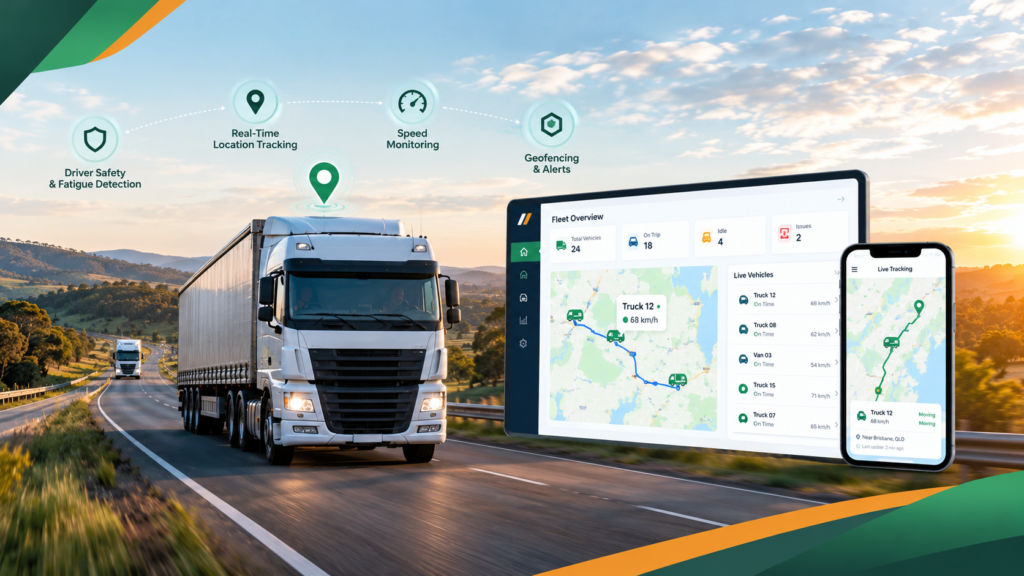
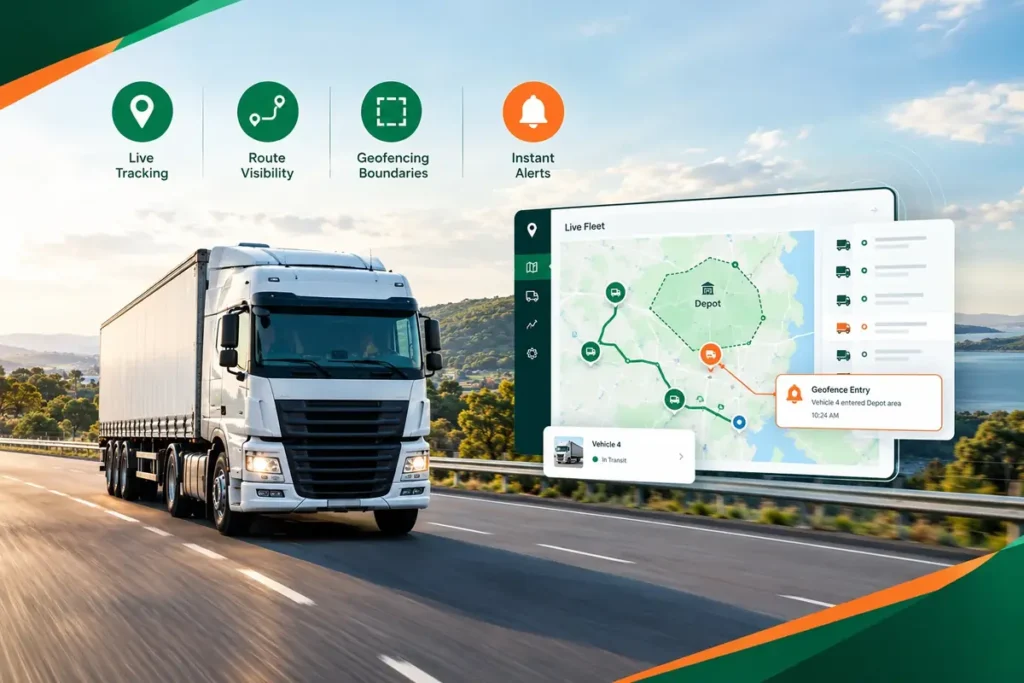
Job Dispatch Software That Gets Jobs Out and POD Back
Create a job, send it to the right driver and watch it move from pickup to proof of delivery. ManageVehicle's job dispatch software keeps your office, drivers and customers on the same page.
What changes when jobs stop living in text messages and phone calls.
BEFORE MANAGE VEHICLE
Manual, fragmented and reactive
Jobs sent by text, call and sticky note
No idea if the job has started until someone rings
Paper dockets lost or unreadable
Customers asking for ETAs and nobody knows
Invoicing held up waiting for paperwork
AFTER MANAGE VEHICLE
Connected, live and proactive
Jobs sent straight to the driver app with all the details
Live job status from accepted to delivered
Digital POD with signature, photos and time stamp
ETAs based on where the vehicle actually is
Completed jobs and POD ready to bill the same day
What Is Job Dispatch Software?
Job dispatch software lets you create jobs, assign them to drivers and vehicles, and track each one through to completion and proof of delivery.
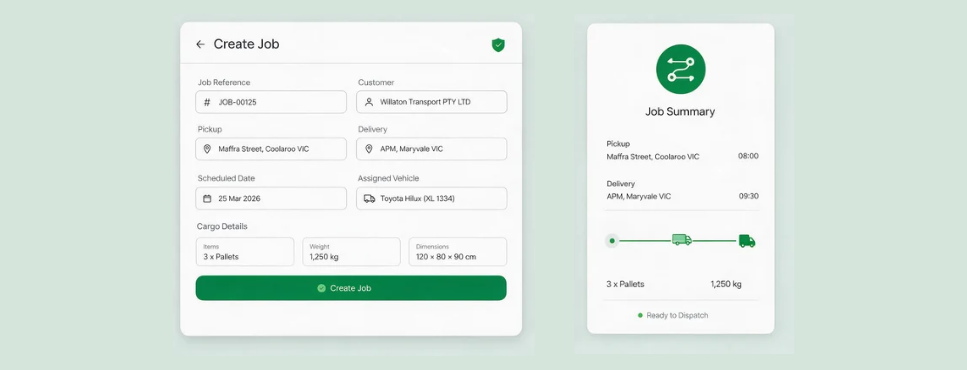
Create Job
Pickup, drop-off, customer and notes.
Assign
Pick the driver and vehicle.
Driver App
Driver accepts, updates and completes.
POD & Records
Signature, photos and time, saved to the job.
Product Experience
From a new job to a signed POD
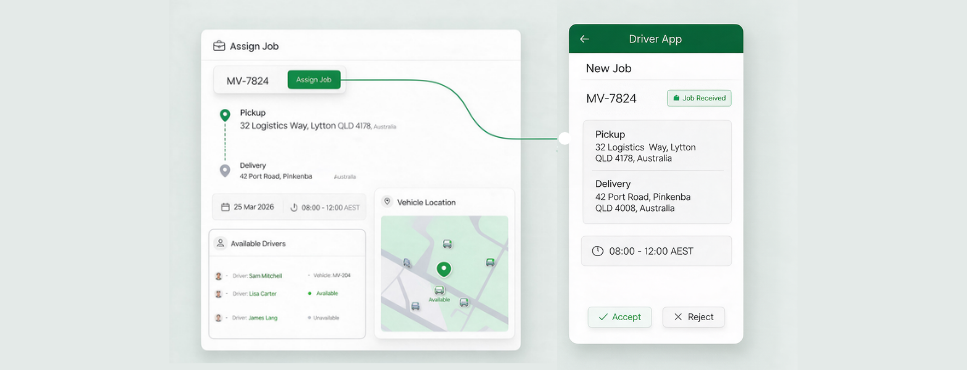
Build a job in under a minute
Clean fuel records without the paperwork.
Drivers record fuel in the driver app with litres, cost, odometer and a photo of the receipt, so your fuel tracking system fills itself in. No more chasing paper at the end of the week.
What your team can do:
Pickup and drop-off details
Load and site notes
Reusable job templates
Send the job to the right driver
No more calls to hand out work.
See which drivers and vehicles are free and where they are, then assign the job. It lands in the driver dispatch app straight away.
What your team can do:
Assign by driver and vehicle
See who's nearby and available
Reassign if plans change
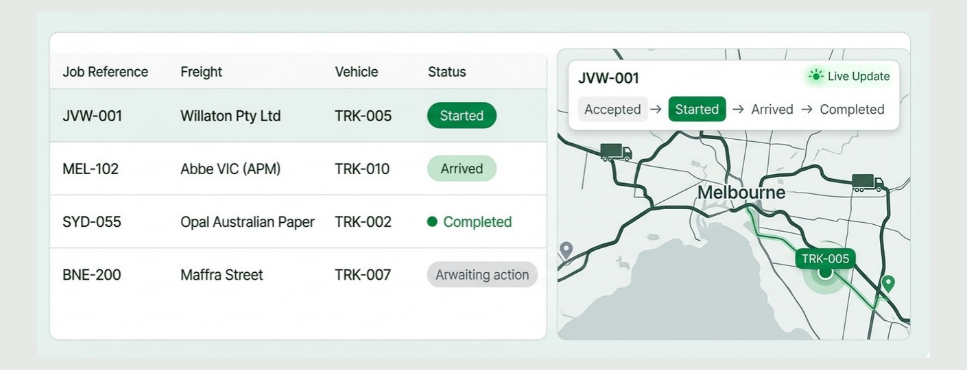
Know where every job is up to
Fewer calls, faster answers for customers.
Drivers update job status as they go: accepted, started, arrived, completed. Your office sees progress live on the same screen as the vehicle's location.
What your team can do:
Status updates from the driver
Live location next to each job
Spot jobs running late
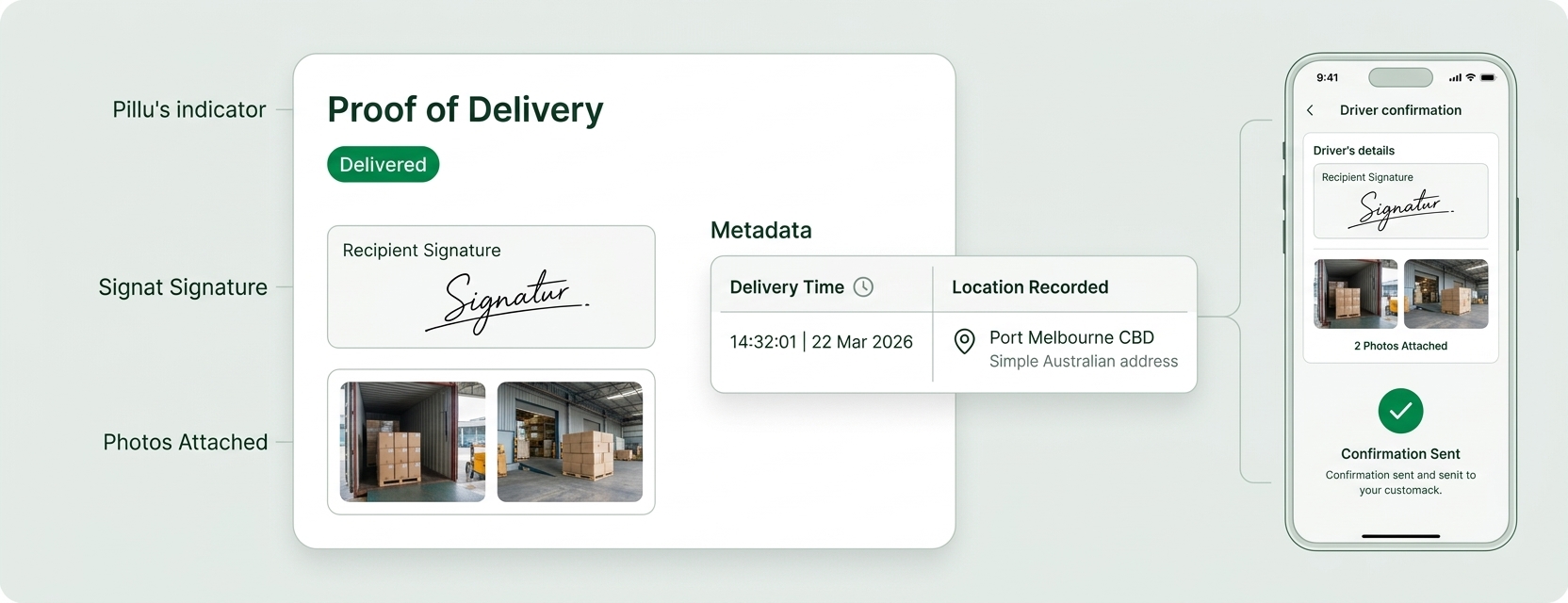
Capture POD on the spot
Proof that's hard to argue with.
Drivers collect a signature and photos on the phone at delivery. The time and location are added automatically, so disputes are settled with facts.
What your team can do:
Signatures on the phone
Photos of the load and site
Time and location stamped
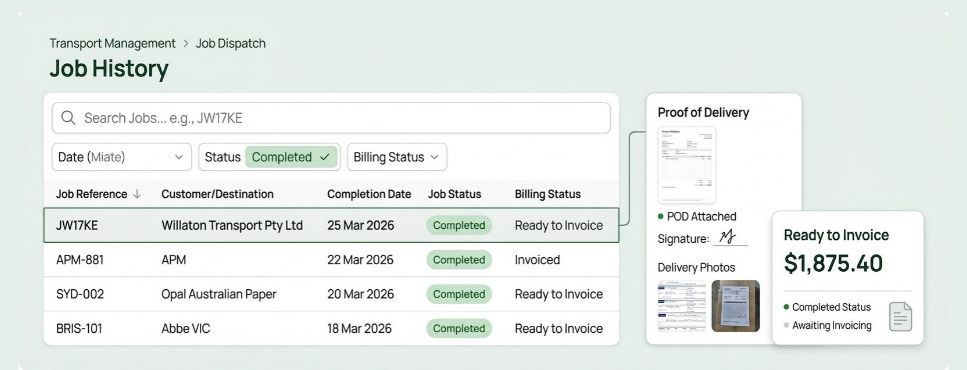
Every job, searchable and ready to bill
Faster billing, easier lookups.
Completed jobs and POD sit together, so accounts can invoice the same day and you can look up any past job in seconds.
What your team can do:
Search by customer, driver or date
POD attached to every job
Export for invoicing
Stop Asking "Has the Delivery Been Done?"
The questions your dispatchers field all day, answered on one screen.
Has Job 4127 been picked up?
Check the job status.
When will it get to the customer?
See the live ETA.
Who's free for an urgent run?
View available drivers nearby.
Did the customer sign for it?
Open the POD.
Can we invoice yesterday's jobs?
Export completed jobs.
Job records that keep schedules realistic
Under Chain of Responsibility, schedulers and loading managers have duties too. Clear job records show your schedules gave drivers enough time to work safely and legally.
Realistic schedules on record
See planned vs actual times for every job.
Time-stamped POD
Prove when and where each delivery was completed.
Works next to your EWD
Jobs show the work planned. MV Driver, our NHVR-approved EWD, shows the hours actually worked.
Connected dispatch & fleet operations
Dispatch works better when it's linked to tracking, compliance and the rest of your fleet data.
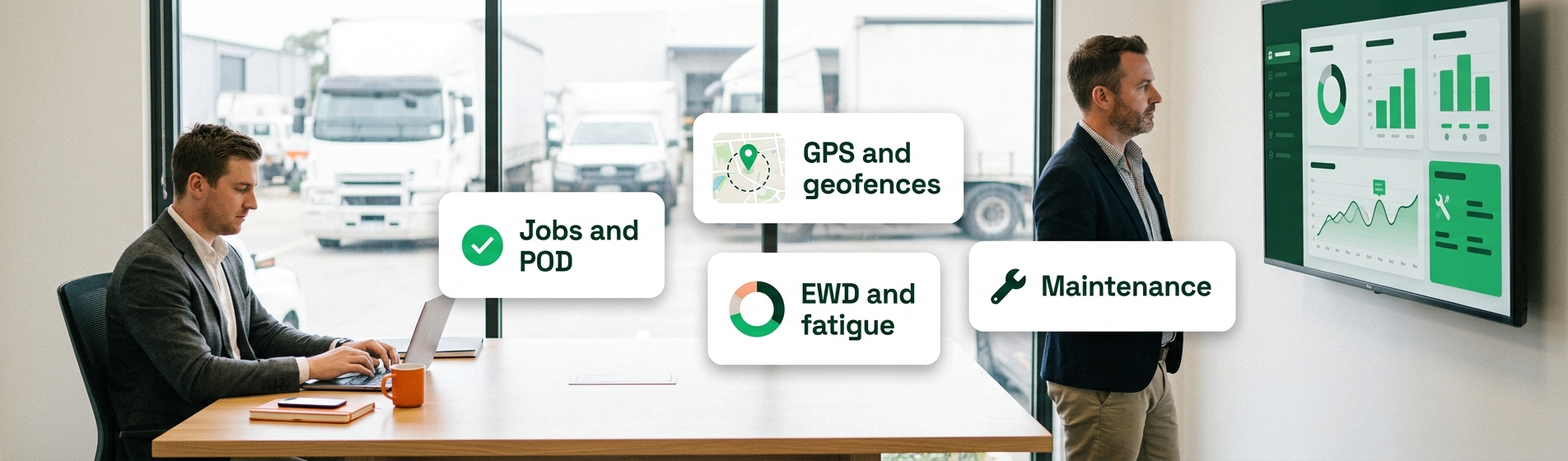
Dispatch + GPS
See Jobs and Vehicles on One Map
A live job view can include
Vehicle location
Job status
ETA
Arrival time
Dispatch + Geofencing
Update Status at the Customer's Gate
Geofence events can include
Arrival at site
Time on site
Departure
Overstay alerts
Dispatch + EWD
Plan Work Around Driver Hours
Driver records can include
Work and rest times
Hours available
Breaks taken
Fatigue alerts
Dispatch + POD
Close Out Jobs With Proof
A connected delivery record can include
Driver and vehicle
Delivery date and time
Location
Signature and photos
Job dispatch vs A full transport management system
Transport dispatch software handles the job. A transport management system handles the wider operation around it.
Real operators, real problems, and what changed once everything sat in one system.
Brandon Manion Coaches
Problem
Maintenance across the bus fleet was difficult to track, with information spread across driver checks and maintenance records.
Result
Drivers complete daily inspections, record odometer readings and report faults directly in Manage Vehicle. The maintenance team has clear, up-to-date visibility of what needs attention. Better maintenance visibility. Fewer missed issues. A fleet that stays on top of its maintenance.
G & V Logistics
Problem
Limited visibility of where loads are while in transit, and difficulty quickly accessing evidence when an incident occurs.
Result
With telematics, G & V Logistics can see where their loads are in real time and share location details with clients immediately. In the event of an incident, they can quickly access and share relevant footage with insurers or other parties.
Alpine Civil Earthmoving
Problem
Limited visibility of how equipment is being used on site, making it difficult to track operating hours and actual equipment utilisation.
Result
Telematics gives Alpine Civil clear visibility of where equipment is and how long it has been operating on site. This helps them monitor utilisation, track equipment activity and better understand how their machines are being used. Better equipment visibility. Better utilisation tracking. More control over site operations.
Veera Transport
Problem
Jobs, PODs and invoicing were previously managed in batches, with the team waiting until the end of the week to collect everything and process invoices.
Result
Jobs are now allocated, driver approval is captured, PODs are recorded, and invoices are sent to the client within 15 minutes of job completion. Faster invoicing. Faster payments. Better cash flow.
Job Dispatch FAQs
It lets you create jobs, assign them to drivers and track them through to proof of delivery. Used as truck dispatch software, ManageVehicle connects each job to the vehicle's live location and the driver's records.
Jobs go straight to the driver app on iOS or Android, with addresses, customer details and notes.
Yes. The driver app works as a proof of delivery app, so drivers collect signatures and photos on their phone, and the time and location are added automatically.
Yes. Drivers update the status as they go, and your office sees it next to the vehicle's live location.
Yes. Because jobs and GPS tracking sit in the same place, your team can see where the vehicle is and estimate arrival times from real positions.
Yes. Move a job to another driver or vehicle and it updates on their app.
It works like driver scheduling software with fatigue in view, so your schedulers plan realistically. Seeing driver hours from the EWD next to the job list makes it easier to avoid pushing drivers past their limits.
Yes. Completed jobs with POD can be exported, so billing doesn't wait on paperwork.
Explore more Solutions
GPS Fleet Tracking
Maximize fleet efficiency with our cutting-edge software. Real-time tracking, optimized routes, and comprehensive maintenance for seamless operations.
Get a 30-minute walkthrough of ManageVehicle set up around your fleet. We'll show you how tracking, EWD,
maintenance and risk management work together, and answer your HVNL questions on the spot.
Walkthrough based on your fleet size and setup
Your HVNL and EWD questions answered live
Local Australian support team
See ManageVehicle in action
Tell us a bit about your fleet and we'll be in touch within one business day.








 Brandon Manion Coaches
 G & V Logistics
 Alpine Civil Earthmoving
 Veera Transport